
An omnidirectional base with two real robot arms, fully documented.
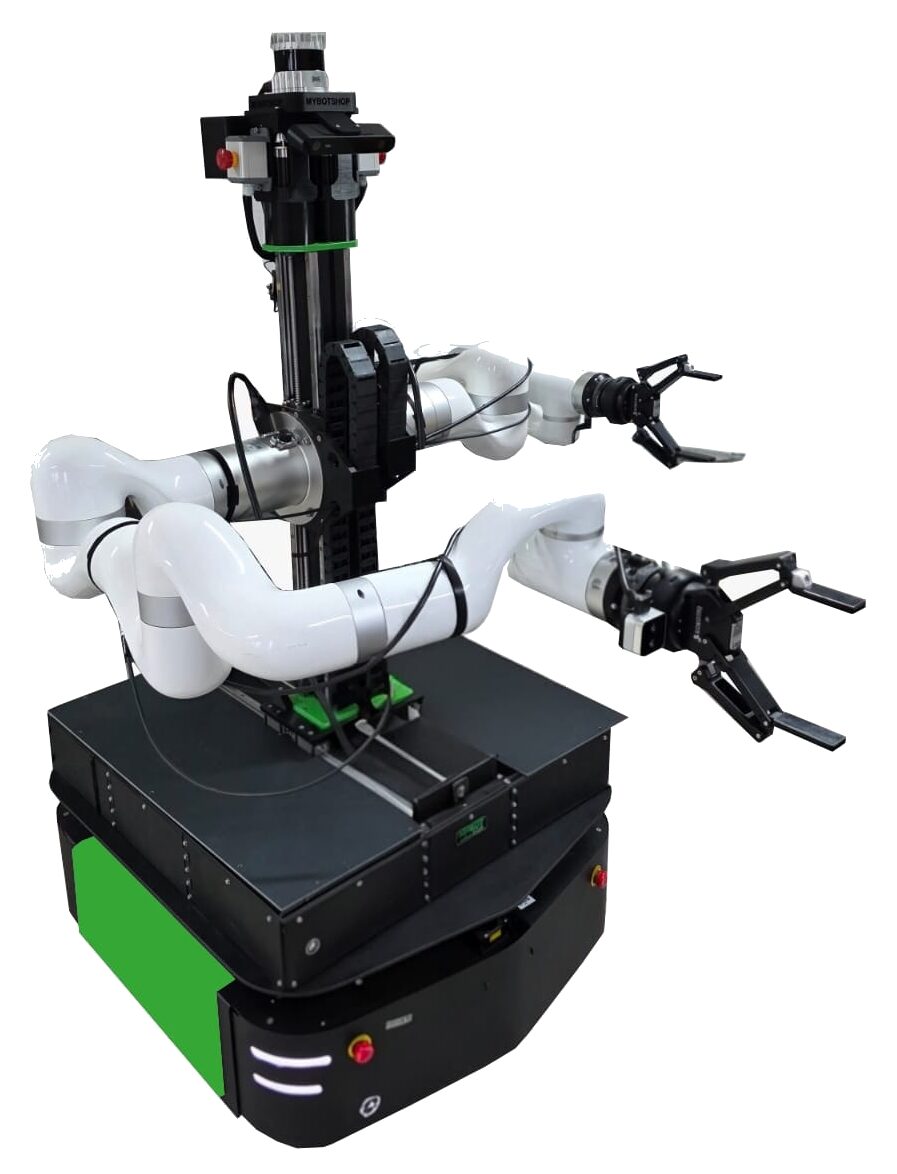
A Clearpath Ridgeback (R100) omnidirectional base carrying dual UFACTORY xArm850 6‑DOF arms on a custom 3‑axis rig — the current flagship of five Ridgeback‑based mobile‑manipulation configurations MYBOTSHOP has built, running ROS 2 Jazzy with Nav2, MoveIt2 and Gazebo simulation out of the box.
One base, five arm loadouts
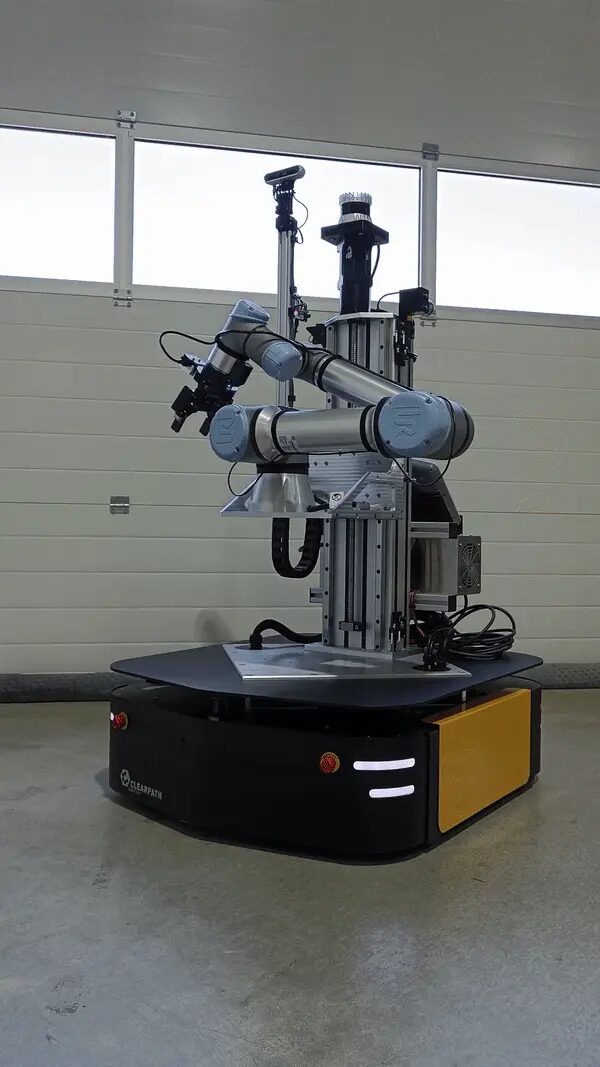
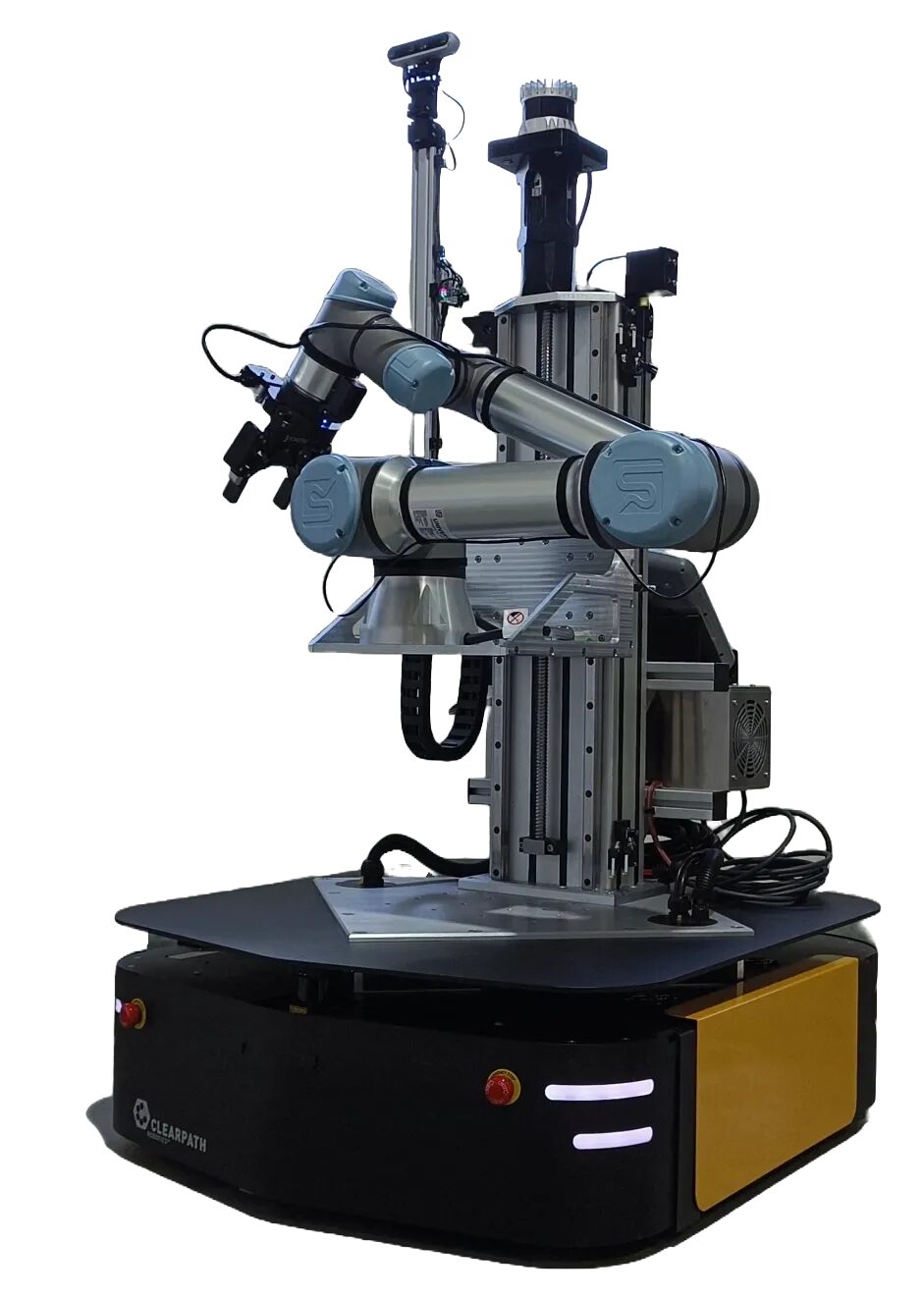
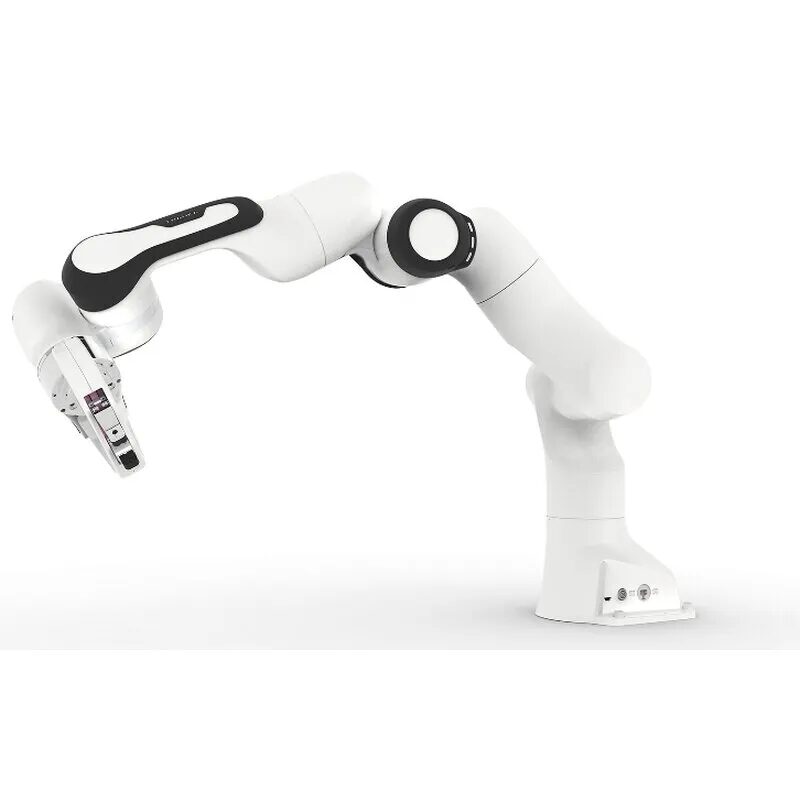
Every Ridgeback MMP shares the same Clearpath omnidirectional base and 192.168.131.* network layout — what changes between customer builds is the arm, gripper and lift. MMP DAR (above) is the current, most actively developed configuration; the other four remain in service and are fully covered in the manual.
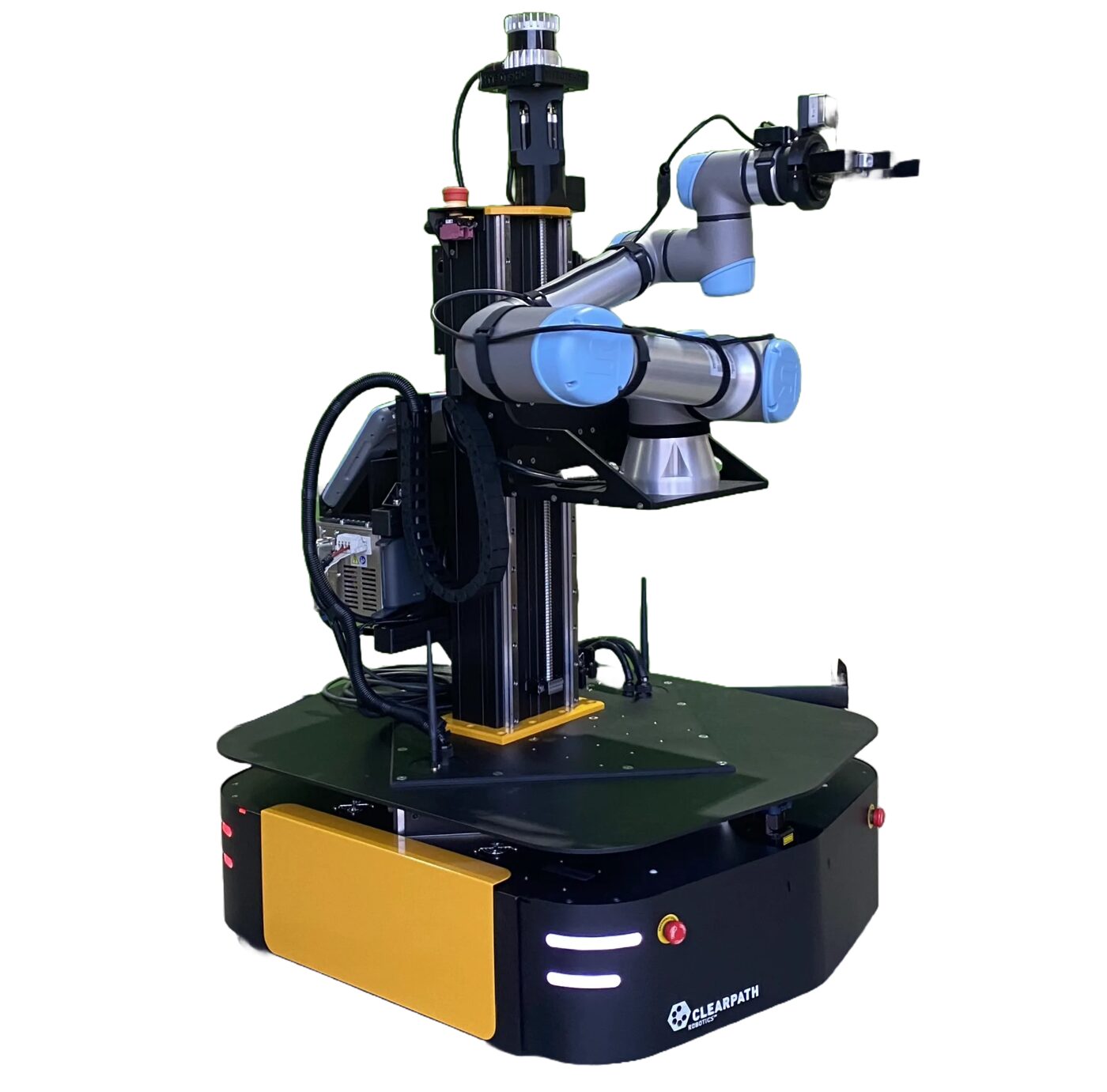
| Configuration | Arm(s) | Gripper | Lidar / depth | Notable |
|---|---|---|---|---|
| MMP DAR | 2× UFACTORY xArm850 | 2× Robotiq 2F‑140 | Ouster + 2× Hokuyo | ROS 2 Jazzy, Gazebo Fortress sim, Nav2/SLAM, MoveIt2 dual‑arm, 3‑axis rig |
| MMP NÜ | UR5e | Robotiq 2F‑140 | Ouster + 2× Hokuyo | Custom stepper‑driven lift, PS4 + Steamdeck teleop, pan&tilt camera head |
| MMP DRE | UR5e | Robotiq 2F‑85 | Ouster + 2× Hokuyo | Multimachine ROS setup, full manipulator + AMR safety guideline chapters |
| MMP MPI | Franka Emika Panda | Panda hand | Ouster + 2× Hokuyo | Heavy‑duty lift with its own safety controller (DC‑AC converter, Bender isolation monitor) |
| MMP BI | UR5e | Robotiq 2F‑85 | Ouster + RealSense D455/D405 | PS4 + Steamdeck teleop, multimachine ROS (builtin/custom router variants) |
Full per‑configuration network tables, startup sequences and ROS package references for all five builds are in the MMP Ridgeback User Manual (PDF). The rest of this page focuses on MMP DAR.
From power-on to first command
Enough to get a supervised operator from a cold robot to driving it around and reaching the onboard webserver — MMP DAR sequence.
Release & power on
Confirm the emergency stop buttons on all 4 corners are released — twist each until it pops up. Then press the power button on the rear of the Ridgeback (power symbol).
E-reset
Once powered on and all switches are released, press the E‑reset button at the rear, where the yellow light is flashing. Clearpath and MMP services then start automatically via systemd (~1–2 minutes).
Enable the arms
Flip the 50A lever towards its black counterpart to power the arms, then enable them from the webserver console or their own web interfaces at 192.168.131.5:18333 (left) and 192.168.131.6:18333 (right).
Reach the webserver
Open http://192.168.131.1:9000 — username admin, password mybotshop. 3D visualization, service control, browser joystick, VNC and map navigation all live here.
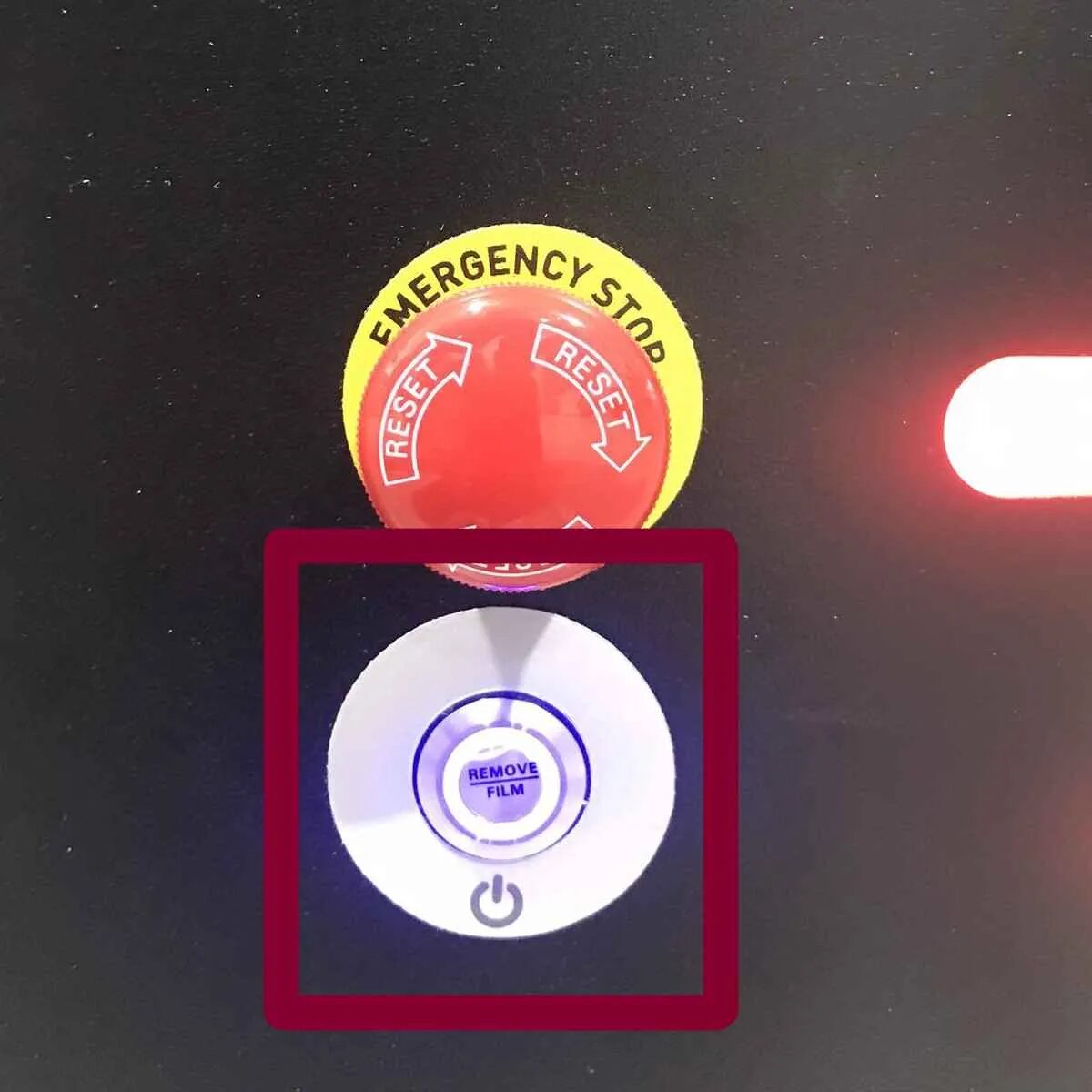
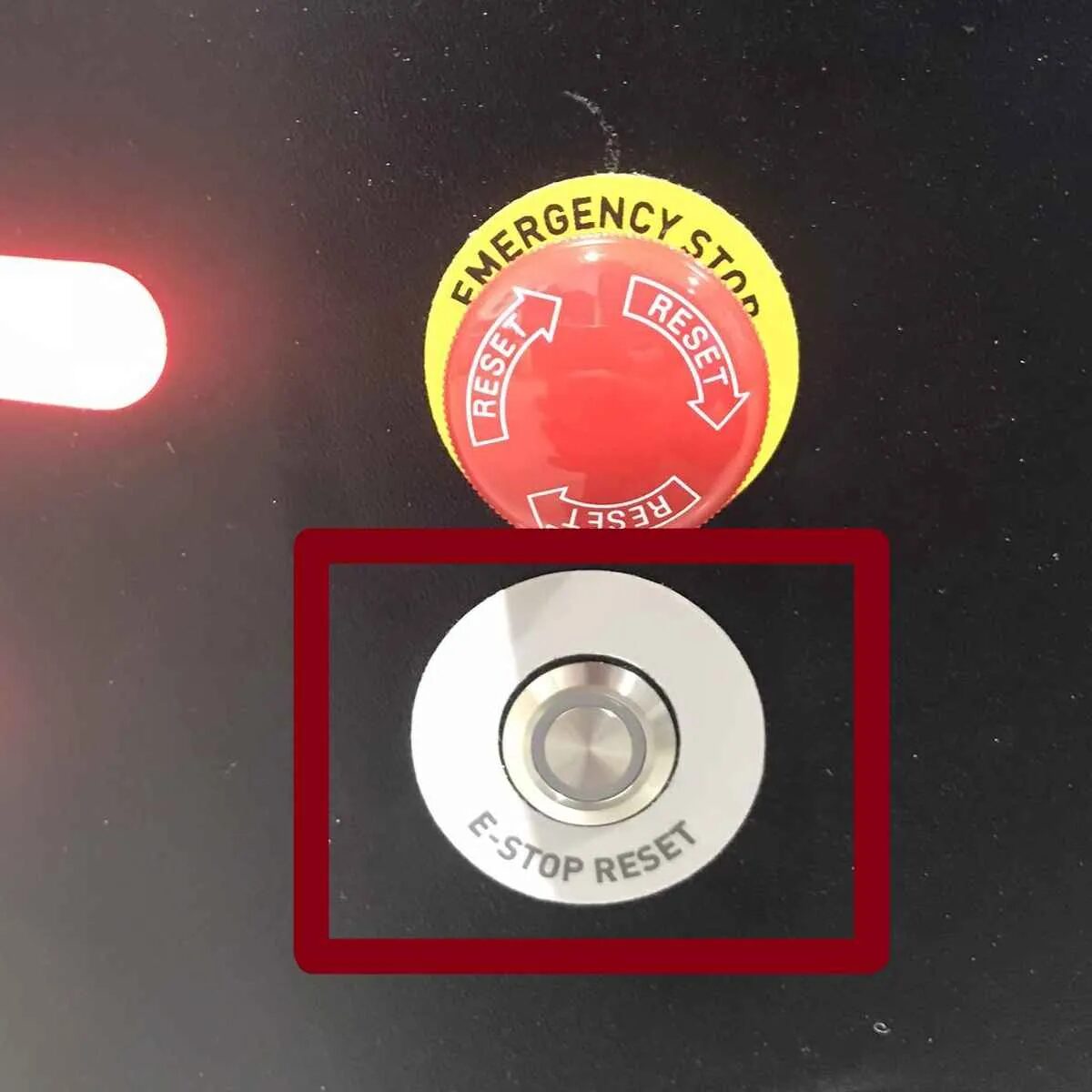
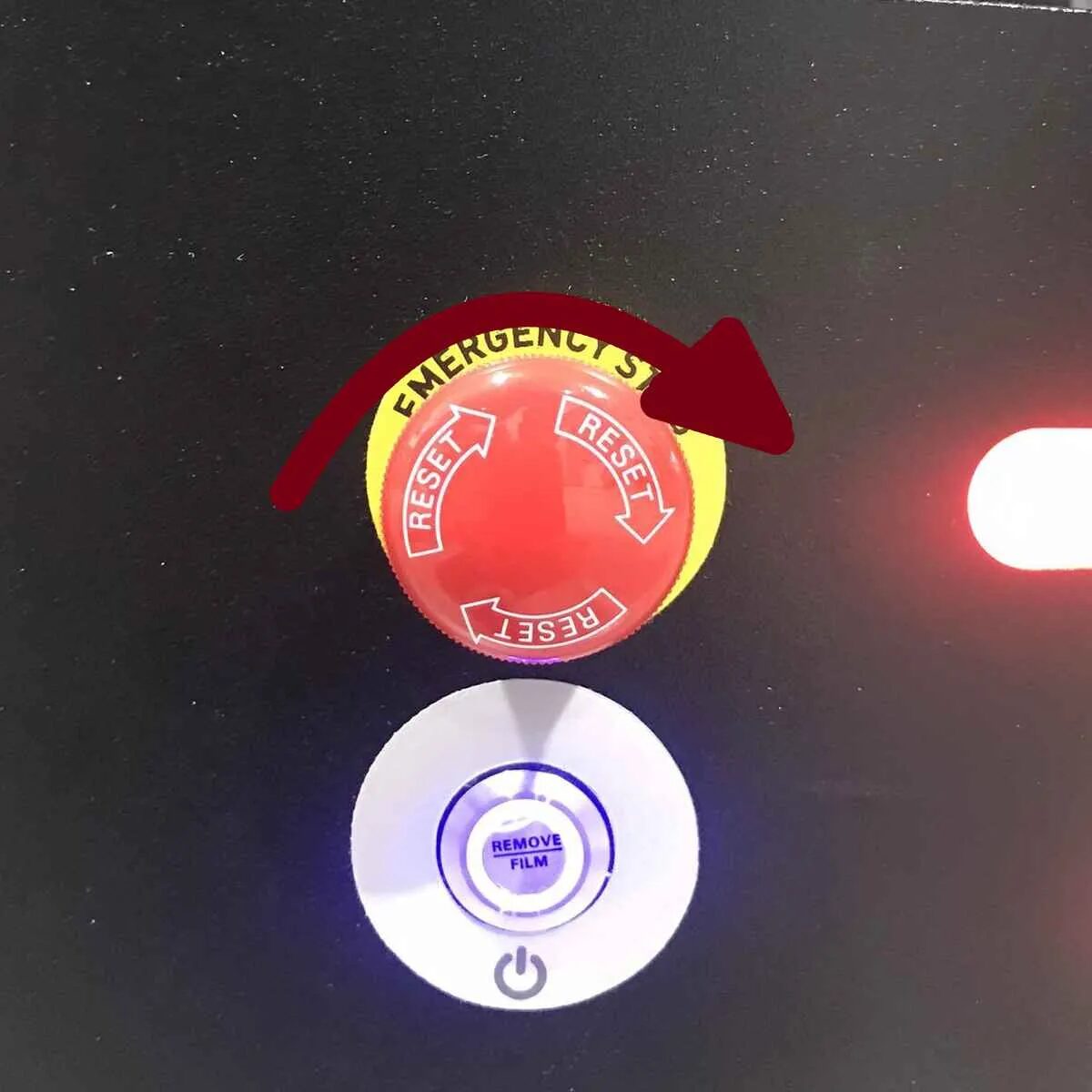
Emergency stop
E‑stop immediately cuts power to the Ridgeback's wheels, holds all three rig axes with brakes engaged, and disables servos on both xArm850 arms. The Ridgeback recovers automatically on release; the rig needs a service call and the arms need re‑enabling via their web interface — see Manipulation & Rig below.
Shutdown
Deactivate the rig, disable both arms (web interface or systemctl stop mmp-xarm-driver-left/right.service), engage the E‑stop, disconnect arm battery power, then sudo shutdown now over SSH before switching off the main power.
MMP DAR network table
| Device | Address | Credentials |
|---|---|---|
| R100 Computer (SSH) | 192.168.131.1 | robot / mybotshop |
| Webserver | 192.168.131.1:9000 | admin / mybotshop |
| Cockpit | 192.168.131.1:9090 | robot / mybotshop |
| R100 MCU | 192.168.131.2 | — |
| Left xArm850 | 192.168.131.5:18333 | — |
| Right xArm850 | 192.168.131.6:18333 | — |
| Hokuyo Front / Rear | 192.168.131.21 / .22 | — |
| Ouster Lidar | 192.168.131.30 | — |
| Router | 192.168.131.200 | SSID / mybotshop |
Access at a glance
Other four configurations use administrator‑level SSH accounts and slightly different addresses (Nvidia carrier board, single arm, etc.) — full tables per configuration in the PDF manual.
ROS 2 Jazzy, Nav2 & the onboard webserver
The MMP DAR onboard computer runs Ubuntu 24.04 with ROS 2 Jazzy; the Clearpath and MMP services start automatically on boot via systemd (clearpath-robot.service, mmp-webserver.service).
Base Driver & Odometry
The Clearpath Ridgeback driver publishes joint state, IMU and odometry, and accepts a namespaced cmd_vel — omnidirectional motion over 4 mecanum wheels from keyboard teleop or the webserver joystick.
Onboard Webserver
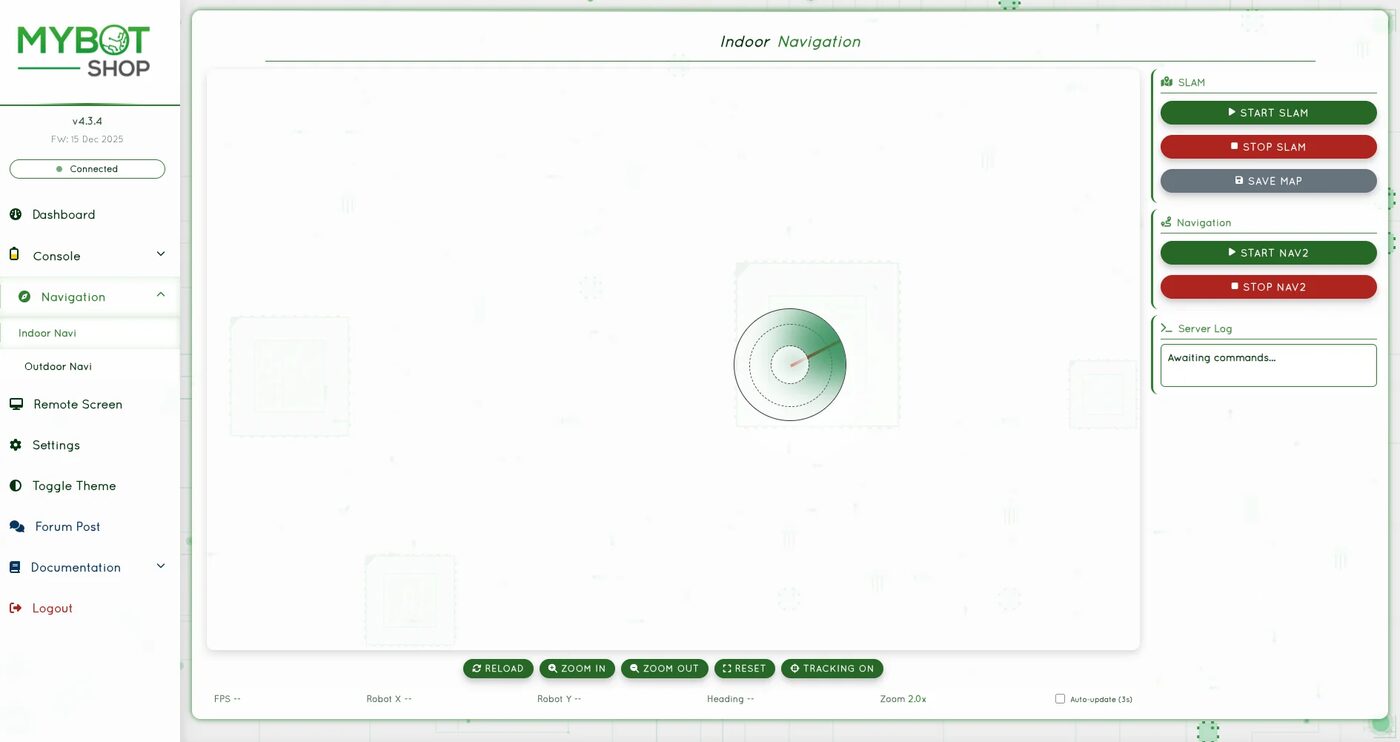
Control interface at 192.168.131.1:9000: dashboard, service console with browser joystick and live image stream, VNC remote desktop, and an indoor navigation map view — see the tour below.
Dual xArm850 + MoveIt2
Independent or coordinated dual‑arm drivers (mmp_xarm), plus a MoveIt2 configuration (mmp_dual_uf850_moveit2) with left_arm, right_arm and dual_arm planning groups (OMPL → TRRT).
SLAM & Nav2
Full Nav2 stack (mmp_nav2): SLAM mapping via slam_toolbox, odometry‑only navigation, and AMCL map‑based navigation with the standard planner/controller/behavior/waypoint servers.
Sensors
An Ouster OS1 3D lidar on the rig, two Hokuyo UST‑20LX 2D lidars (front/rear), and Intel RealSense D455/D405 + a ZED2i stereo camera for depth perception, with combined‑scan merging across all lidars.
Teleoperation
Steamdeck controller (experimental, dead‑man switches on L1/R1) or the webserver's browser joystick for base motion; teleop_twist_keyboard remapped onto the namespaced cmd_vel as a fallback.
See it in the browser
A guided tour of the MMP DAR onboard webserver, straight from its own documentation screenshots. See how the same pages look on other robots on the Webserver page.
Workspace structure
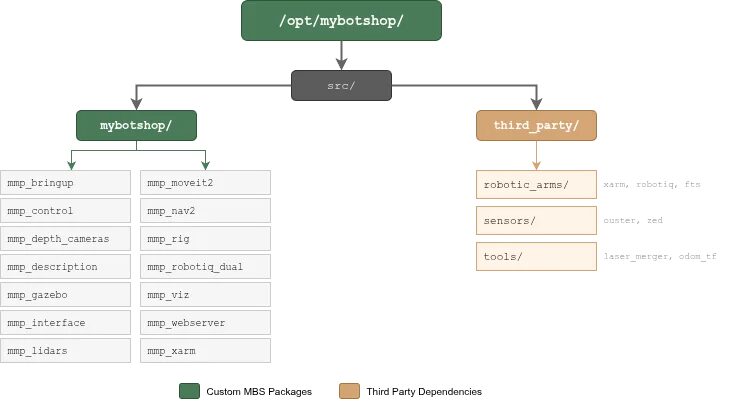
The MMP R100 workspace is split into mybotshop (custom packages) and third_party (vendored external dependencies).
| Package | Description |
|---|---|
mmp_bringup | System startup and service management |
mmp_control | Base and manipulator controllers |
mmp_description | URDF/Xacro robot models |
mmp_dual_uf850_moveit2 | Dual‑arm MoveIt2 configuration |
mmp_gazebo | Gazebo Fortress simulation |
mmp_interface | Custom messages and services |
mmp_lidars | Hokuyo and Ouster LiDAR drivers |
mmp_nav2 | Nav2 navigation stack configuration |
mmp_rig | 3‑axis linear actuator control |
mmp_robotiq_dual | Dual Robotiq 2F‑140 gripper control |
mmp_viz | RViz2 visualization configurations |
mmp_webserver | Web dashboard and remote control |
mmp_xarm | Dual xArm850 driver configuration |
Dual xArm850, Robotiq grippers & the 3-axis rig
Two identical, mirrored 6‑DOF xArm850 arms with Robotiq 2F‑140 grippers and FT300 force‑torque sensors ride a rig that positions them independently — posable live in the playground above.
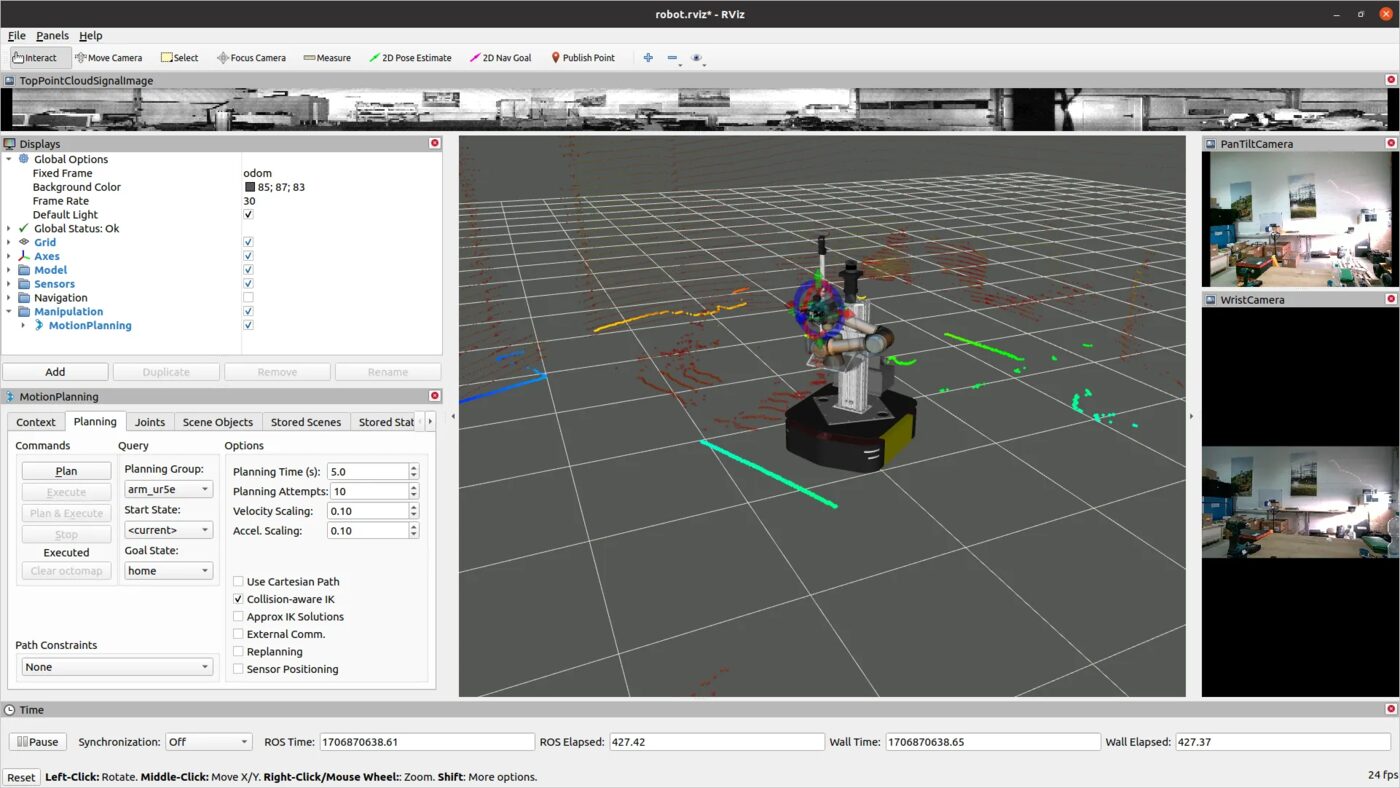
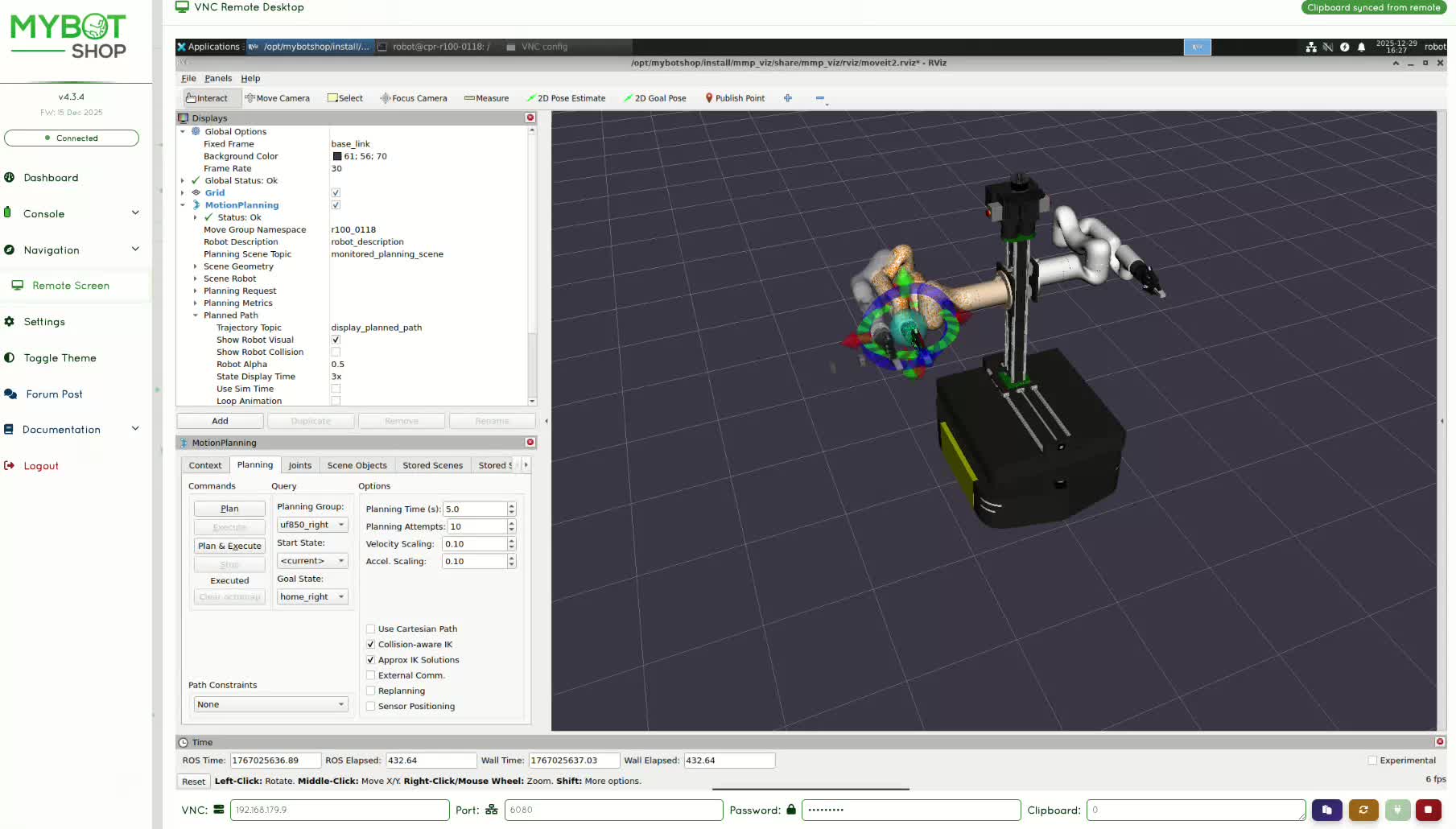
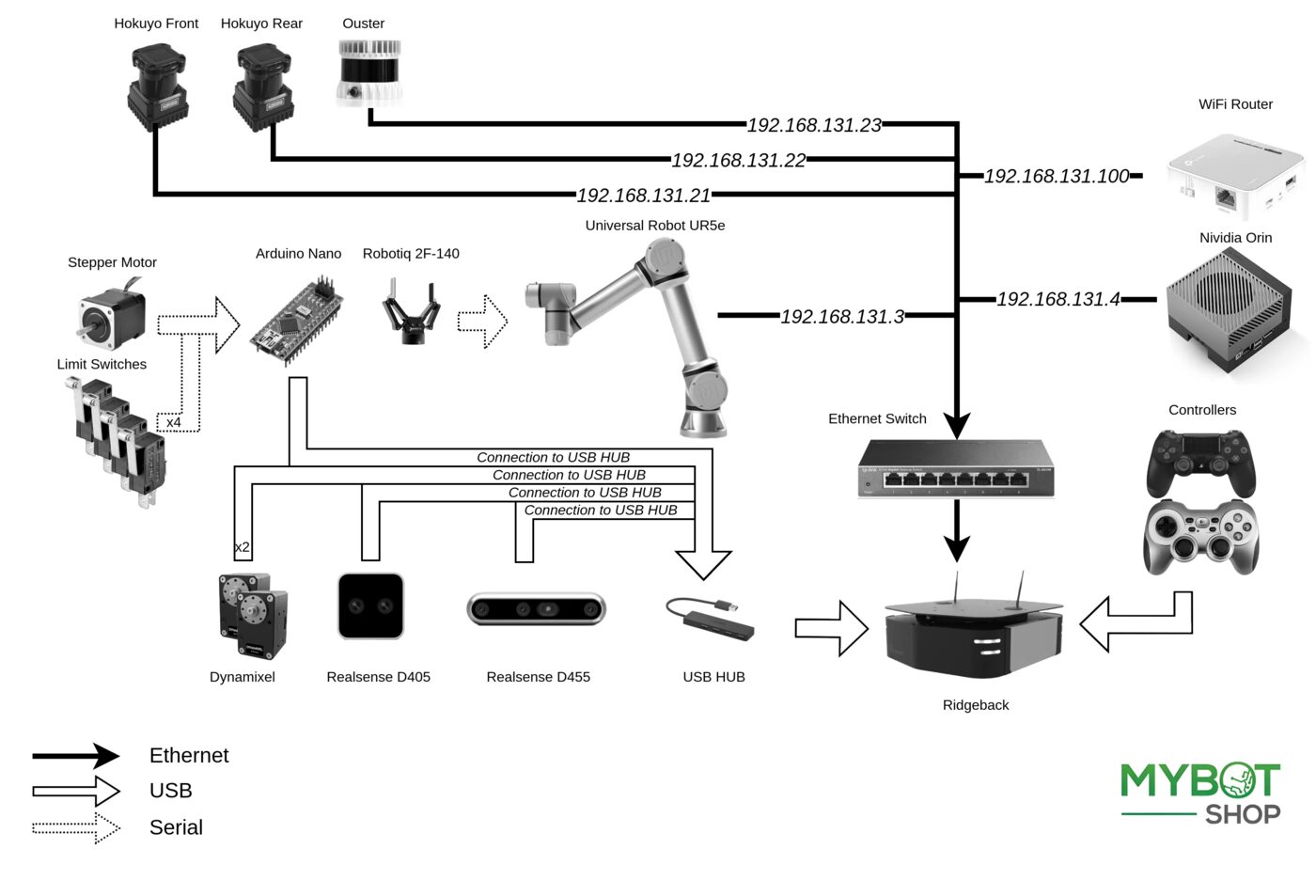
Arm Driver & Trajectories
Launch both with ros2 launch mmp_xarm custom_dualarm_drivers.launch.py, or each individually. Joints are named uf_left_joint1–6 / uf_right_joint1–6, driven via standard FollowJointTrajectory actions.
Robotiq 2F-140 Grippers
Open/close via gripper/left/open and gripper/left/close services, or set a position 0–255 (or 0.0–0.7 rad via the MoveIt2 gripper_cmd action) — same range posable in the playground.
3-Axis Rig
One Y‑axis base plate (0–400mm, front–rear) and two independent Z‑axis lift plates (0–500mm each) via mmp_rig — position, velocity, or on/off activation control, all over ROS 2 services.
E-Stop behavior
| System | On E-Stop | To resume |
|---|---|---|
| Ridgeback base | All wheel motors cease immediately | Automatic on release |
| 3‑axis rig | All axes stop and hold (brakes engage) | Re‑activate via mmp_rig/activation service call |
| Left / Right xArm850 | Servos disabled, emergency stop state | Re‑enable via web interface (port 18333) or driver restart |
If an xArm850 doesn't start and you can't hear clicking sounds: engage E‑stop, wait 5 seconds, release, and retry. Always ensure arms are clear of the collision path before moving the rig.
Gazebo Fortress, SLAM & Nav2
Unlike most MYBOTSHOP hardware-only robot docs, MMP DAR ships a full simulation and navigation chapter — the complete platform, dual arms, grippers, FT300 sensors and rig, all controllable in Gazebo before touching real hardware.
The MMP Ridgeback navigating autonomously through the warehouse on a saved map — live SLAM point cloud, planned path and onboard camera feed all visible in the webserver's Cockpit view as the robot drives between waypoints.
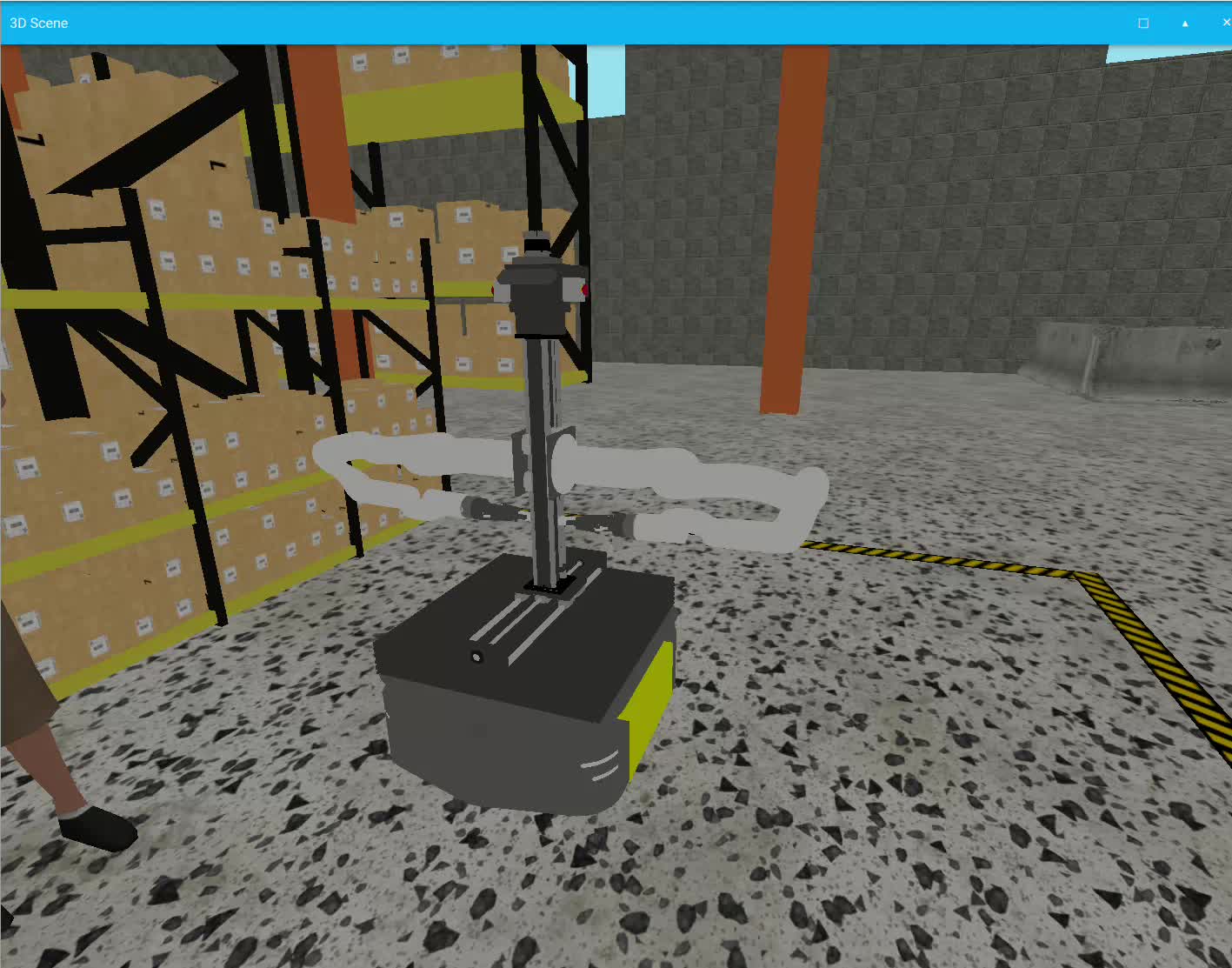
Launching the Sim
ros2 launch mmp_gazebo simulation.launch.py with ROS_LOCALHOST_ONLY=1. Toggle rig, arms, Ouster, ZED2i, FT sensors and grippers independently via MMP_RIDGEBACK_* environment variables.
SLAM Mapping
ros2 launch mmp_nav2 slam.launch.py then activate slam_toolbox's lifecycle. Drive at ~0.2 m/s to build the map, then save it with nav2_map_server's map_saver_cli.
Map & Odom Navigation
odom_navi.launch.py for relative navigation without a map, or map_navi.launch.py for the full AMCL + planner/controller/behavior/waypoint‑follower Nav2 stack on a saved map.
Simulation prerequisites: ROS 2 Jazzy, Gazebo Fortress, gz_ros2_control, and the Clearpath robot packages. Kill orphaned Gazebo processes with ros2 run mmp_gazebo kill_gz.sh.
Manuals, vendor docs & robot description
Everything needed to operate any of the five Ridgeback MMP configurations, develop against the ROS 2 stack, or bring the arm model into your own tooling.
Complete Source Repo
The complete ROS 2 source workspace for MBS MMP Ridgeback — every ROS 2 package, launch file and driver node, built and maintained by MYBOTSHOP. Confidential — shared under NDA with named customers; sign in or request access below.
Clearpath Ridgeback Documentation
The Ridgeback R100 itself is a Clearpath Robotics platform — its own documentation is the authoritative source for base-specific hardware detail, power system and drive electronics.
Clearpath Ridgeback docs →MYBOTSHOP Ridgeback MMP User Manual
A single self-contained manual: network/SSH/webserver quick start for every configuration, manipulator & AMR safety guidelines, full ROS package reference for MMP DAR, and dedicated chapters for NÜ, DRE, MPI and BI.
Download PDFr100_0160 Software Manual (current)
Connection/SSH info, the web interface (dashboard, indoor-nav & 3D/lidar cockpit, remote screen, diagnostics), every custom systemd service with its startup order, and today's operational gotchas — for the specific base-only r100_0160 unit now running the shared robot_webserver framework instead of the bespoke mmp_webserver the other configurations use. Distinct from, and newer than, the full MMP manual above.
r100_0160 Web Dashboard — Binary Build (no source)
The robot_webserver framework running on r100_0160, Nuitka-compiled to .so binaries for handover — most Python source is not included, only what dynamic skill-discovery and the ROS 2 launch system require to stay as plain source. Gated to named customers; sign in or request access below.
Ridgeback R100 + Dual xArm850 + Robotiq 2F-140 + Lift Rig Description (URDF)
The full model rendered live in the playground above: the Clearpath Ridgeback R100 base (chassis, covers, lights, axle, riser/top deck, rockers, mecanum wheels), both mirrored dual‑arm chains, and the 3‑axis lift rig (frame, vertical tower, left/right sliding brackets) from the compiled MMP DAR URDF, mounted together on one connected joint tree via the base's own default_mount hardpoint. Vendored UFACTORY/Robotiq visual/collision STL meshes plus the custom rig meshes — originally mixed DAE/GLB, converted to STL here for a single self‑contained package. The base meshes are Clearpath Robotics' own clearpath_platform_description package (BSD‑3‑Clause, redistributed here unmodified with its LICENSE included in the zip).
Data sheets & component docs
Reference material for every major component across the five configurations, straight from the manufacturers.
Need the base description, hand‑equipped variants, or the full ROS 2 driver source for another configuration? Ask us directly.
If something goes wrong
Two steps, in order — the forum first for fast community and staff triage, then a direct ticket if it needs to go further.
MYBOTSHOP Forum
Open a topic on the MYBOTSHOP Forum for community and staff triage — most software questions and known issues get resolved here first. For code-level bugs, GitHub Issues, StackOverflow and Answers-ROS are also in play.
Direct ticket & RMA
If it's unresolved, email support@mybotshop.de with the problem description and what's already been tried. For hardware issues we'll issue an RMA number and return instructions — returns without an RMA number are auto-rejected.
RMA returns ship to: MYBOTSHOP GmbH, Willy-Messerschmitt-Strasse 12, 50126 Bergheim, Germany.
We're here for the whole deployment
Fleet rollout, a new arm loadout, or a question about a specific ROS 2 package — the MYBOTSHOP team can help.
support@mybotshop.de