
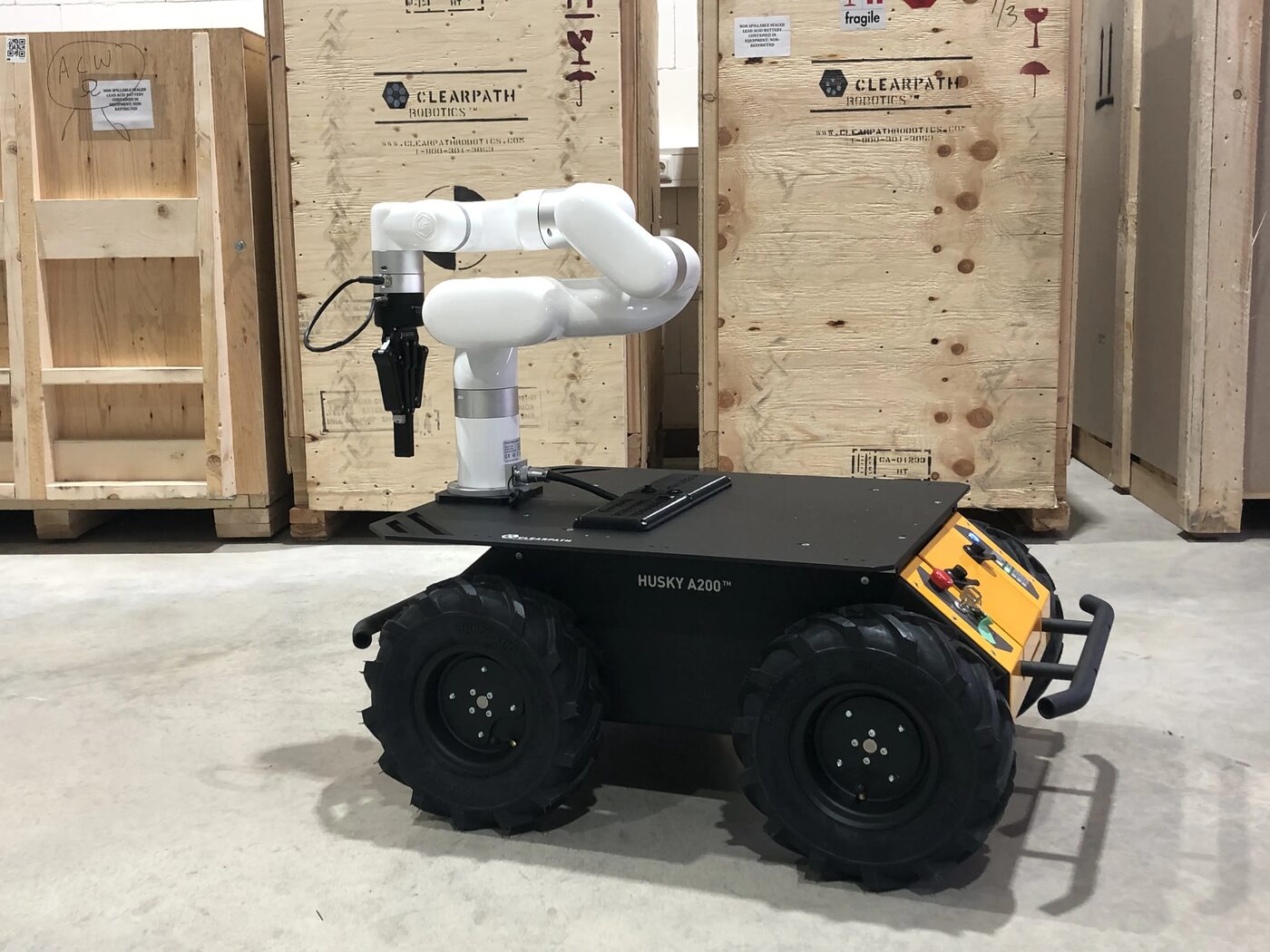
A rugged all-terrain base with a real robot arm on top.
A Clearpath Husky A200 4-wheel skid-steer base fitted by MYBOTSHOP with a mobile-manipulation payload — the flagship configuration pairs a Universal Robots UR5e arm with a Robotiq 2F-140 gripper, though many customer units instead ship a UFactory xArm6 + Robotiq 2F-140. ROS 2 Humble is the primary stack; several legacy field units still run ROS 1 Noetic or ROS 2 Foxy.
From power-on to a running manipulator
Enough to get a supervised operator from a cold robot to an SSH session and a powered-up arm.
Release the E-stop
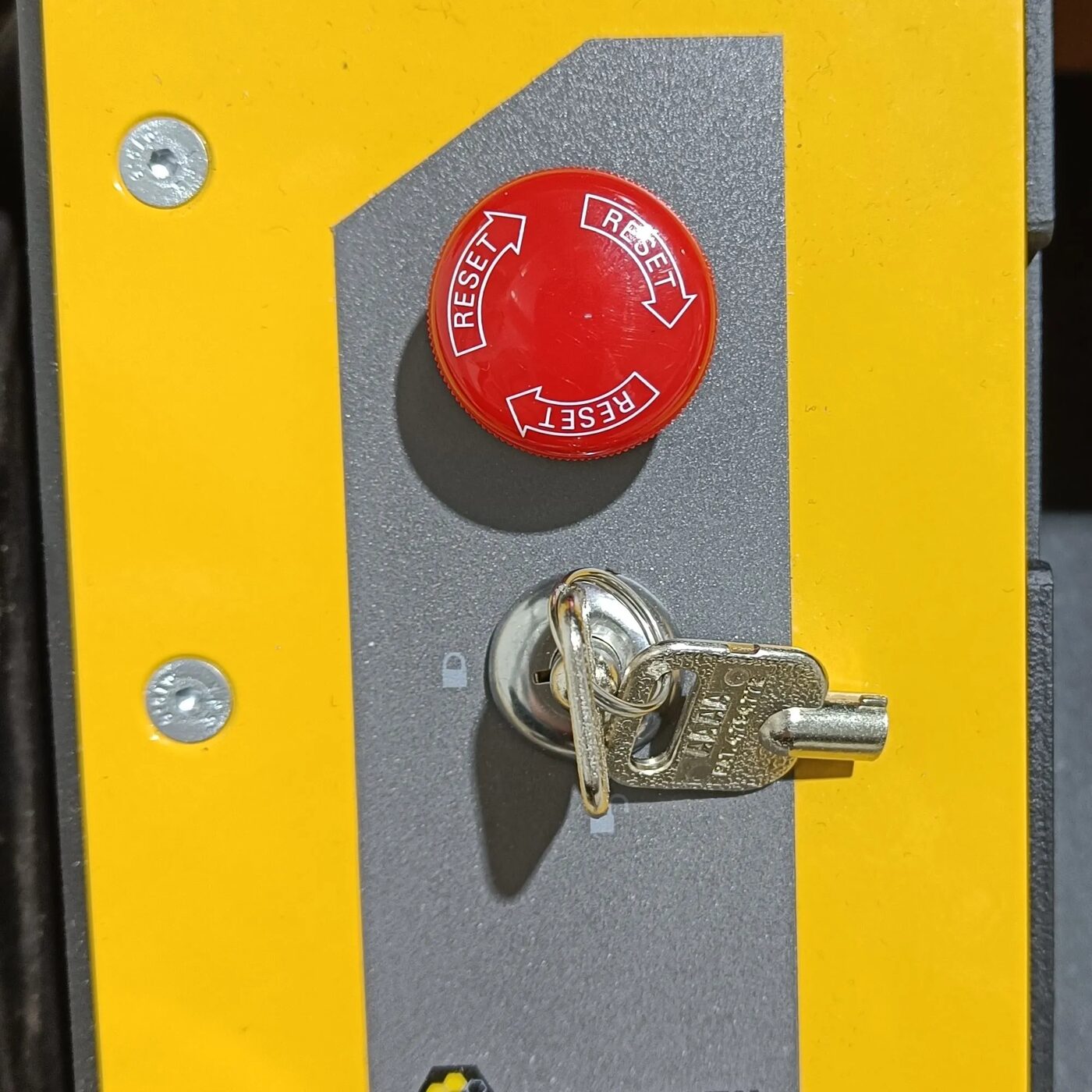
Twist the emergency switch in the indicated direction — it pops up once released — and turn the key to the unlock position. If the robot's status light is yellow, one of the two still needs clearing.
Power on
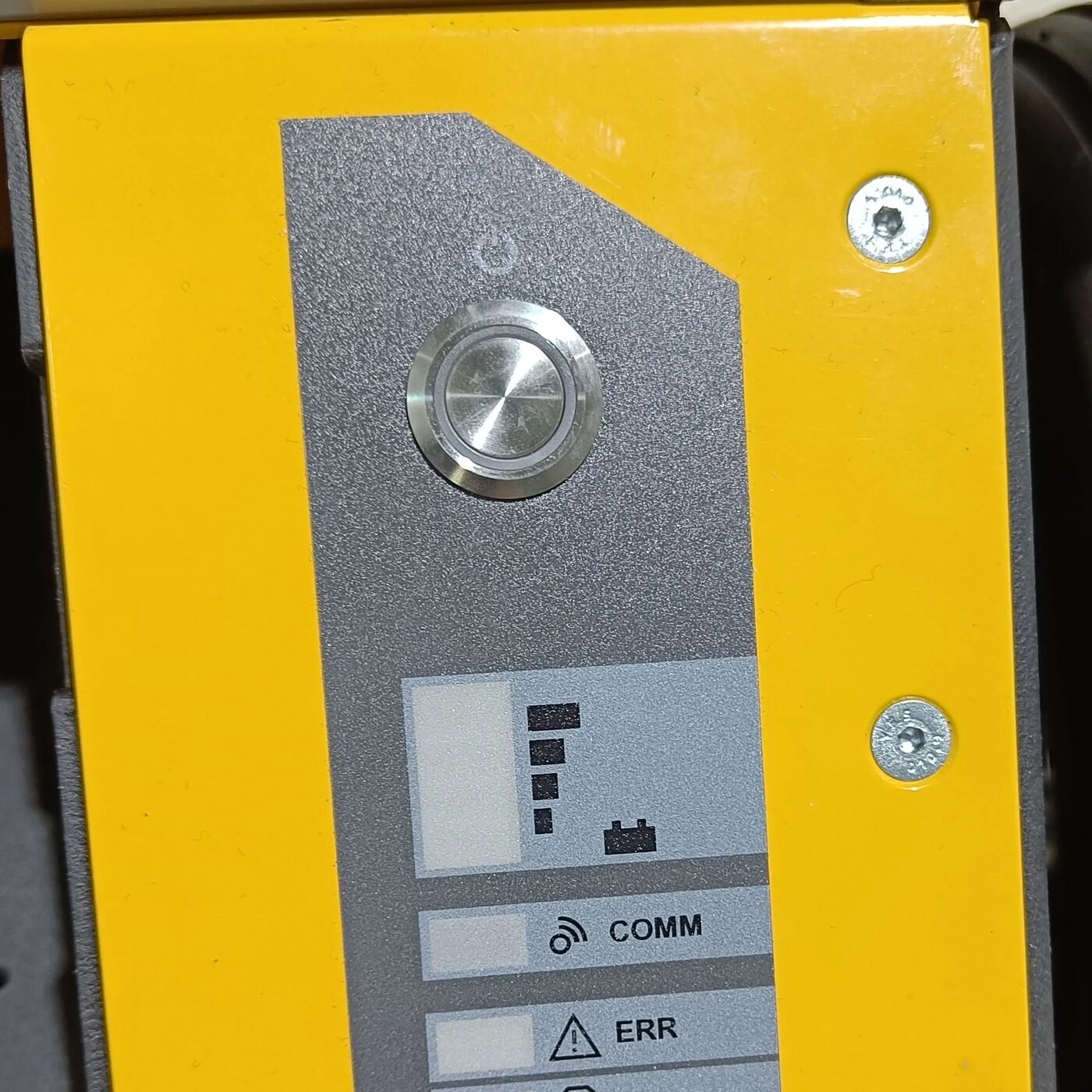
Press the power button on the front of the Husky (marked with the power symbol). Core ROS 2 drivers and services start automatically.
Connect
Plug into the Husky's Ethernet port, or set a static IP on your computer (192.168.131.51 / mask 24) via Settings → Network. Then ping 192.168.131.1 and ssh -X administrator@192.168.131.1 (password mybotshop).
Activate the manipulator
Power the arm via the activation service call, then launch the UR5e + Robotiq driver:
ros2 service call /a200_1025/ur5e_activation/hsky_nano/srv/SerialBoolean "{data: true}"
ros2 launch hsky_manipulation ur5e_robotiq.launch.py
Charging & shutdown
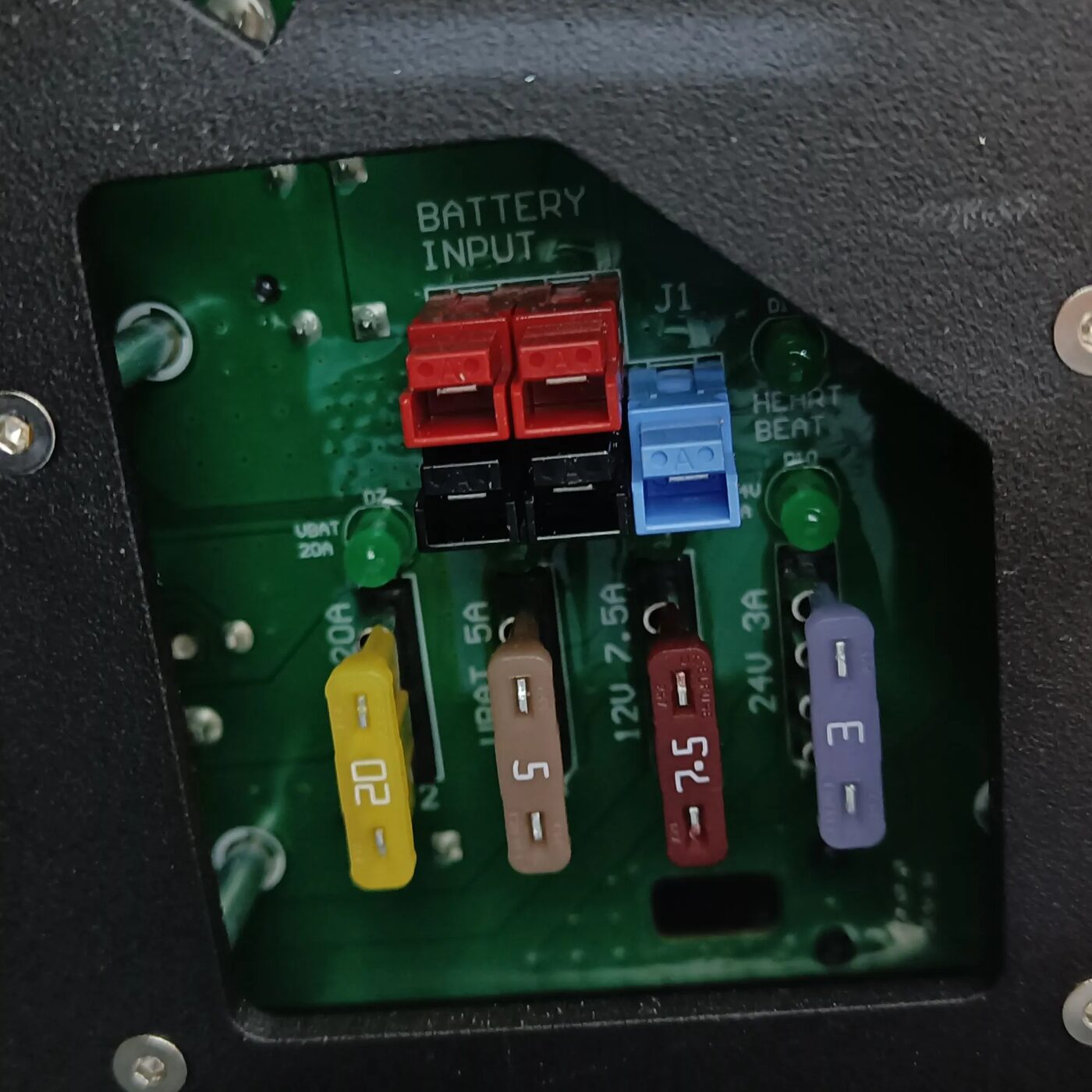
Charge via the same power port — the LED voltage indicator shows charge level, not necessarily remaining runtime. To fully power off the manipulator, run ros2 run hsky_manipulation remote_shutdown.py while the driver is still running, before cutting main power.
External power supply
The Husky cannot drive while the external DC supply is connected — 27V / 8A required, same connector as charging but only the single connector is used.
| Device | IP Address | Password |
|---|---|---|
| Husky MCU (SSH) | 192.168.131.1 | mybotshop |
| Husky Nvidia | 192.168.131.4 | mybotshop |
| Router | 192.168.131.100 | mybotshop |
| UR5e | 192.168.131.5 | — |
| Husky Hokuyo | 192.168.131.21 | — |
IP addresses vary per field-deployed unit — see Deployments below and the full network tables in the manual. Keep only your own connection to the robot active; other active networks are a common cause of connection trouble.
ROS 2 Humble, teleop & navigation
Husky-side ROS 2 packages under ros2_ws/src/mybotshop handle the manipulator, visualization, lidar and Nav2 stack. Hokuyo starts automatically on boot; everything else launches on demand.
UR5e + Robotiq 2F-140 Driver
Activate the arm's power relay, launch the combined driver, and optionally bring up MoveIt2 for motion planning against the same UR5e + gripper URDF shown in the playground above.
Base Driver & Teleop
Clearpath's own Husky base driver publishes odometry and joint state and accepts cmd_vel — driven from a Logitech gamepad (L1/R1 dead-man switches) or, experimentally, a paired Steamdeck.
Hokuyo LiDAR
The Hokuyo 2D LiDAR driver is started automatically by the Husky's own startup job — running it manually a second time shuts down the already-running instance rather than restarting it.
Nav2 — SLAM & Navigation
Odom-frame navigation with no map, SLAM mapping with map export, and full map-based navigation once localized — goals set directly in RViz2. See the tour below for real screenshots of all three.
RViz2 Visualization
A single launch brings up the full robot model — base, arm and gripper — in RViz2 for live monitoring of any of the drivers above.
Controllers
Logitech gamepad: L1/R1 are the slow/fast dead-man switches, left joystick drives x/y. Steamdeck pairing adds full mouse/desktop control plus the same drive mapping, R5/L5 for arm power on/off — experimental, caution advised.
RViz2 & Nav2, straight from the docs
Real screenshots from the Husky's own documentation — visualization and all three navigation modes.
Six field-deployed units, six different loadouts
Every customer/university Husky ships with its own sensor and manipulator combination. The full manual documents each one in its own chapter — summarized here.
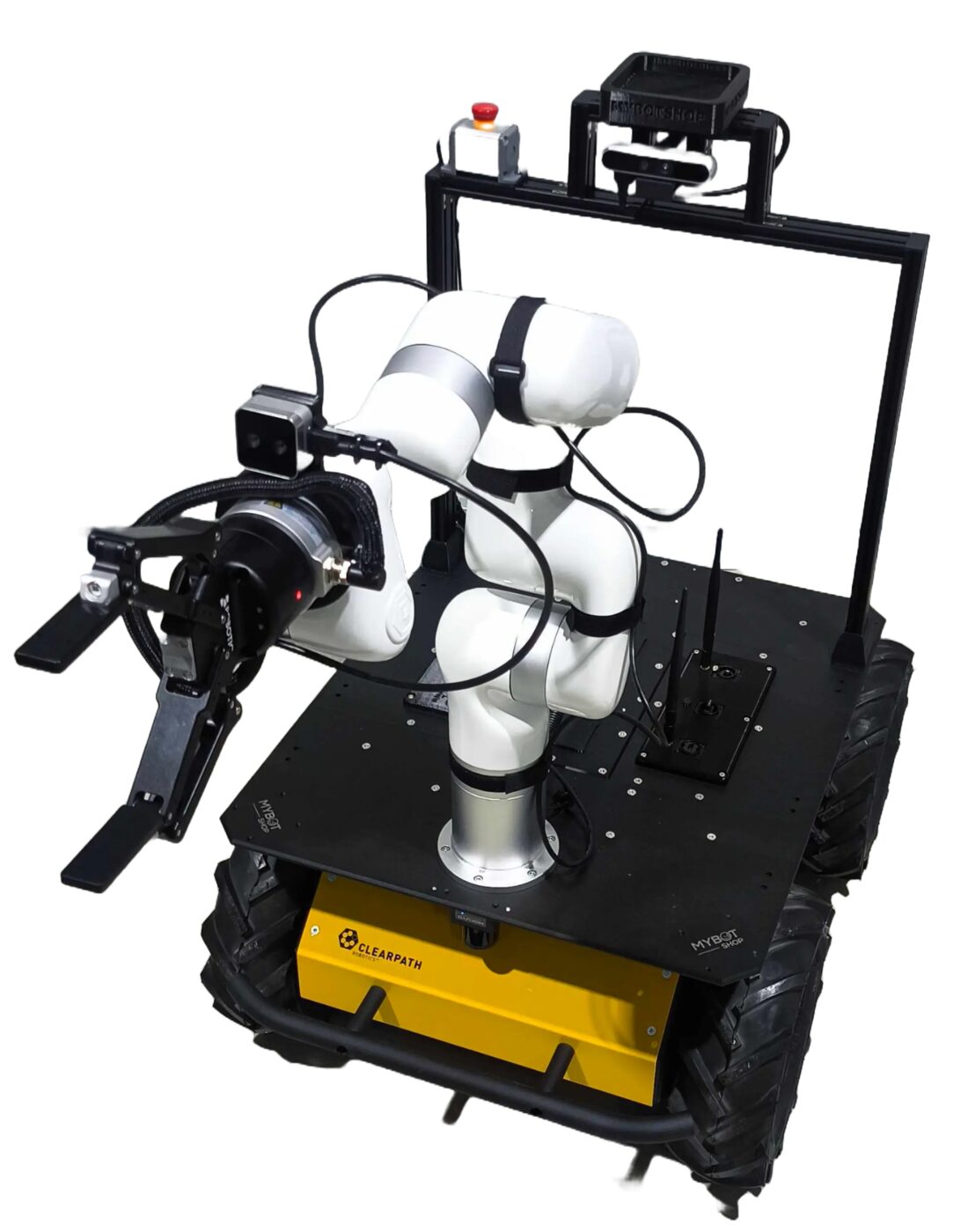
Husky ATC
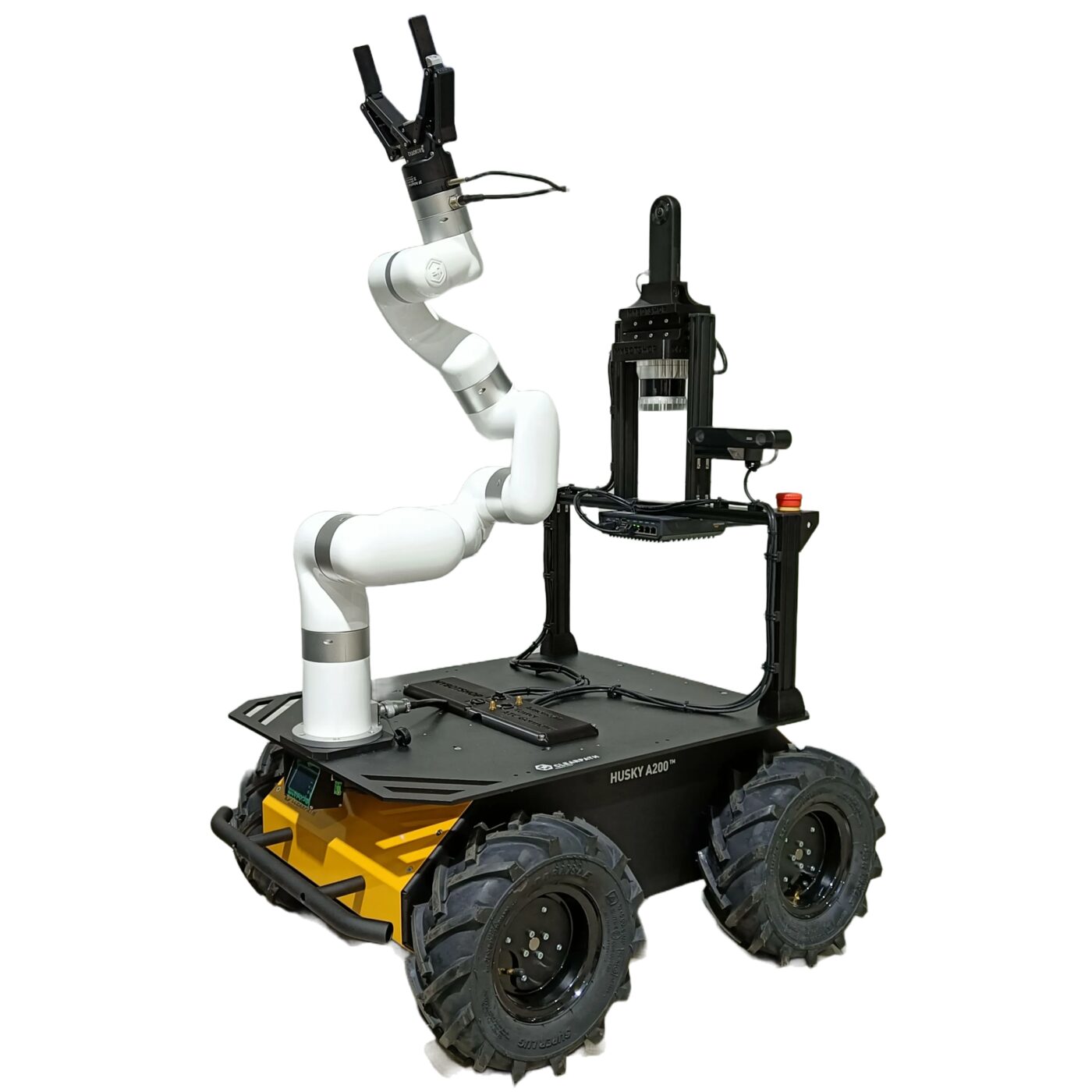
Ouster + Blickfeld dual lidar, ZED2i, Qoocam 360, xArm6 + Robotiq 2F-140. ROS 1 Noetic with custom per-sensor startup jobs.
Husky TUM
xArm6 + Robotiq 2F-140, Phidgets IMU, RealSense D405 (wrist) + D455f, Hokuyo. Includes full robotic-manipulator and AMR safety-guideline chapters.
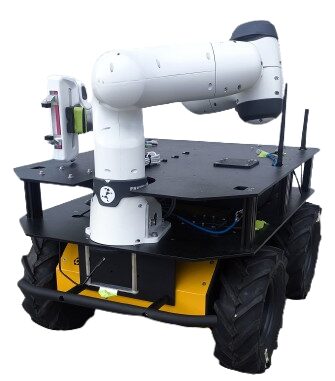
Husky FH
Dual-stack ROS 1 Noetic + ROS 2 Foxy. xArm6, Robotiq 2F-140 + FT-300 force-torque, FLIR thermal, RealSense D405, Fixposition RTK GPS, ZED2i via Nvidia AGX Orin.
Husky FRA
Runs a Franka Emika Research 3 arm with a Franka 2-Finger-Gripper — not the UR5e/xArm6 used on the other five units. Quick-start and Nav2 chapters only; no dedicated manipulator driver documented in its own source docs.
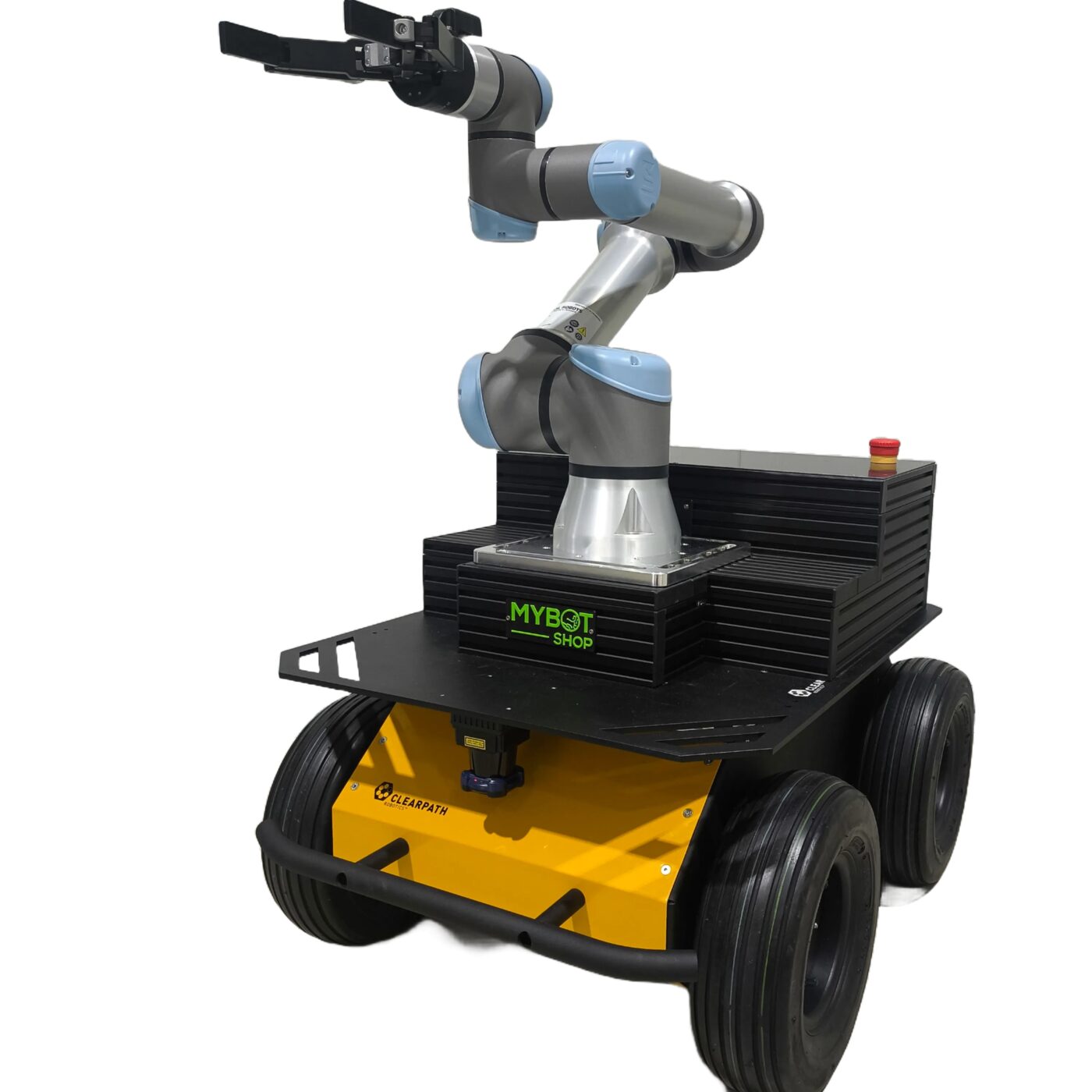
Husky BE
UR5e + Robotiq 2F-140 (the flagship config) + Hokuyo, with full Steamdeck controls documented alongside the Logitech gamepad.
Husky TUHH
xArm6 + Robotiq on ROS 1 Noetic with a catkin workspace, a custom 24V power-relay board (with wiring schematics) and Phidget IMU — the most granular hardware how-to of the six.
The TUM, BE and FRA units share an identical set of Robotic Manipulator and Autonomous Mobile Robot safety-guideline chapters in the full manual — consolidated once there rather than repeated three times.
Manual, manufacturer docs & robot description
Everything needed to operate the Husky Mobile Manipulator, develop against its ROS 2 stack, or bring the arm model into your own tooling.
Complete Source Repo
The complete ROS 2 source workspace for MBS Husky A200 — every ROS 2 package, launch file and driver node, built and maintained by MYBOTSHOP. Confidential — shared under NDA with named customers; sign in or request access below.
Clearpath Husky, UR5e & ROS 2 Docs
The Husky A200 base and UR5e arm are each documented authoritatively by their own manufacturers; ROS 2 Humble's own docs cover the full installation walkthrough reproduced in the manual.
Clearpath docs → ROS 2 Humble docs →MYBOTSHOP Husky MMP User Manual
A single self-contained manual: network/SSH quick start, controllers, full ROS 2 software reference, ROS 2 Humble install walkthrough, and a dedicated chapter for every field-deployed unit (ATC, TUM, BE, FH, FRA, TUHH) plus shared safety guidelines.
Download PDFUR5e + Robotiq 2F-140 Description (URDF)
The manipulator subtree of the flagship configuration — URDF, visual & collision meshes and package.xml — the same posable model rendered live in the playground above (the Husky A200 base shown alongside it there is a static reference mesh baked from Clearpath's own open-source husky_description, not part of this package). Arm only: our production stack's Husky A200 base geometry lives in Clearpath's clearpath_platform_description rosdep package, not redistributed here — combine the two yourself for a full base+arm model, or ask us for guidance.
Many customer units ship a UFactory xArm6 in place of the UR5e (see hsky_xarm6.urdf in the source repository) — the manual documents both. Need the xArm6 description, the Husky A200 base package, or the full ROS 2 driver source? Ask us directly.
If something goes wrong
Two steps, in order — the forum first for fast community and staff triage, then a direct ticket if it needs to go further.
MYBOTSHOP Forum
Open a topic on the MYBOTSHOP Forum for community and staff triage — most software questions and known issues get resolved here first. For code-level bugs, GitHub Issues, StackOverflow and Answers-ROS are also in play.
Direct ticket & RMA
If it's unresolved, email support@mybotshop.de with the problem description and what's already been tried. For hardware issues we'll issue an RMA number and return instructions — returns without an RMA number are auto-rejected.
RMA returns ship to: MYBOTSHOP GmbH, Willy-Messerschmitt-Strasse 12, 50126 Bergheim, Germany.
We're here for the whole deployment
Fleet rollout, a new sensor loadout, or a question about a specific ROS 2 package — the MYBOTSHOP team can help.
support@mybotshop.de