
A low-cost, open-source rig for two-arm teleoperation.
A stationary bimanual manipulation platform: two operator-held leader arms mirrored to two robot-mounted follower arms, built for robotic-learning data collection, teleoperation research and human–robot interaction.
From a fresh workstation to teleoperating
The documented ROS 1 (Noetic) setup — enough to get all four arms moving under teleoperation, RViz visualization running, and the four depth cameras streaming.
Install dependencies
Run the provided setup script from the workspace root: ./dependencies.sh. This pulls in the Interbotix ROS 1 stack and RealSense camera packages the rest of the setup depends on.
Configure the Dynamixel motors
Using Dynamixel Wizard: set protocol to 2.0, baud rate to 1,000,000 (1 Mbps), and current-limit the gripper motors specifically to avoid overload.
Set up udev rules
Get each USB device's serial number with sudo udevadm info --name=/dev/ttyUSBX --attribute-walk | grep serial, then create matching udev rules so the four arms always map to consistent, predictable serial ports.
Launch teleoperation
Bring up all four arms with roslaunch aloha 4arms_teleop.launch. Each leader arm now drives its paired follower arm in real time.
Visualize the robot
Start RViz visualization of the live arm state with roslaunch aloha_viz view_robot.launch.
Bring up the depth cameras
Launch each Intel RealSense D405 camera in turn: roslaunch aloha_realsense_cameras d405_01.launch through d405_04.launch.
Full setup walkthrough, udev examples and every launch command: MYBOTSHOP ALOHA 2 User Manual (PDF).
What's inside ALOHA 2
ALOHA 2 builds on the original ALOHA system, redesigned for large-scale data collection, robust complex manipulation, and better operator ergonomics over long teleoperation sessions.
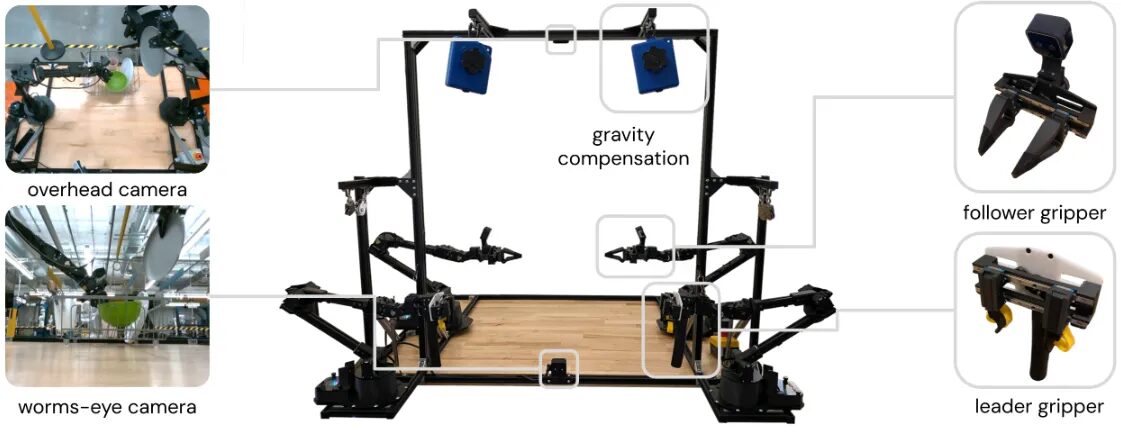
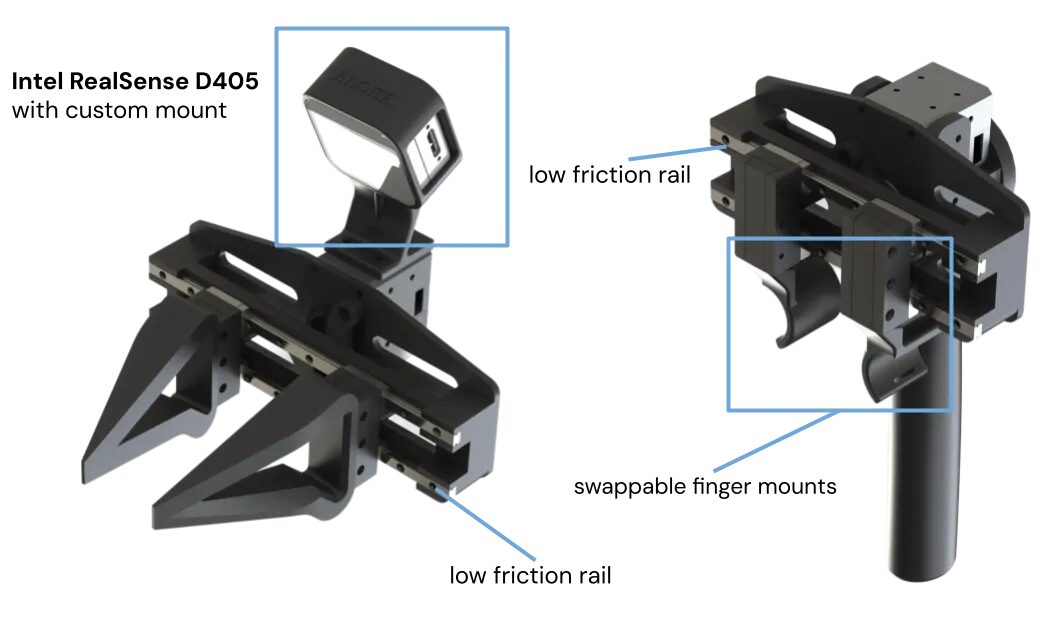
ALOHA 2 components: cameras, grippers and gravity-compensation system
Redesigned Grippers
Two gripper types — a leader gripper operated directly by the human, and follower grippers on the robot arms — mounted on low-friction rails for smooth, accurate motion, low latency and high responsiveness, suitable for both delicate handling and higher-force operations.
Passive Gravity Compensation
Passive mechanical gravity compensation replaces the original ALOHA's rubber-band solution, reducing physical effort and fatigue for the operator and improving stability and comfort during long data-collection sessions.
Reinforced Frame
An aluminum-extrusion frame — lightweight, stiff and expandable — supports larger props and human co-workers in the shared workspace, and is easy to modify for specific experiments.
High-Resolution Perception
Four Intel RealSense D405 cameras provide dense depth information, a wide field of view and accurate real-time 3D perception — enabling fine manipulation, object tracking and robust teleoperation in visually complex scenes.
MuJoCo Simulation
A detailed MuJoCo model reproduces ALOHA 2's real kinematics and dynamics, enabling policy training in simulation, safety testing of algorithms, and rapid iteration on control and learning methods before deployment on hardware.
ROS Interface
A ROS 1 (Noetic) interface integrates Dynamixel motor control, RealSense camera streams and RViz visualization into a single teleoperation stack. A ROS 2 interface is available as well.
Because the platform is open-source, both hardware and software can be adapted, extended and improved by the wider robotics community. Full technical detail: official ALOHA 2 project website.
Where ALOHA 2 fits
Precise two-arm manipulation and teleoperation applies wherever coordinated, contact-rich robot manipulation and high-quality demonstration data matter.
Robotic Learning
Collection of large, high-quality datasets of manipulation trajectories. Accurate grippers and reliable camera views provide rich training data for object recognition, grasping and placing, and sequential task execution and planning.
Human–Robot Interaction
An ergonomic operator station and adaptable frame make it suitable for shared workspaces: assembly assistance, inspection tasks, and assistive/service robotics use cases.
Teleoperation
Responsive, high-fidelity remote control for scenarios such as surgical or medical teleoperation, disaster response, and handling of hazardous or sensitive materials — where intuitive controls help operators work in high-risk environments.
Simulation Research
Tight integration with MuJoCo allows training and testing manipulation policies in simulation and reproducing complex scenarios at high fidelity — accelerating experimentation without stressing the physical hardware.
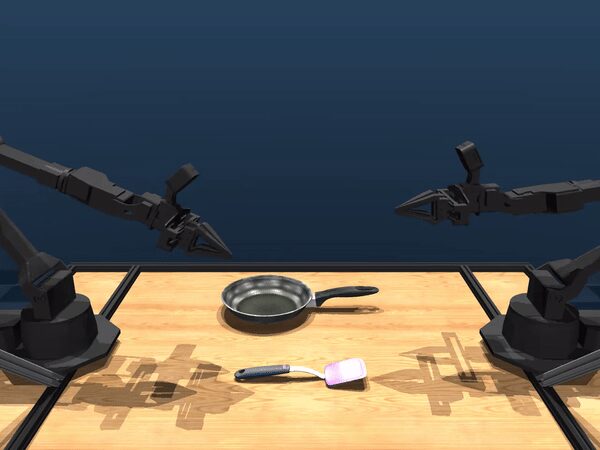
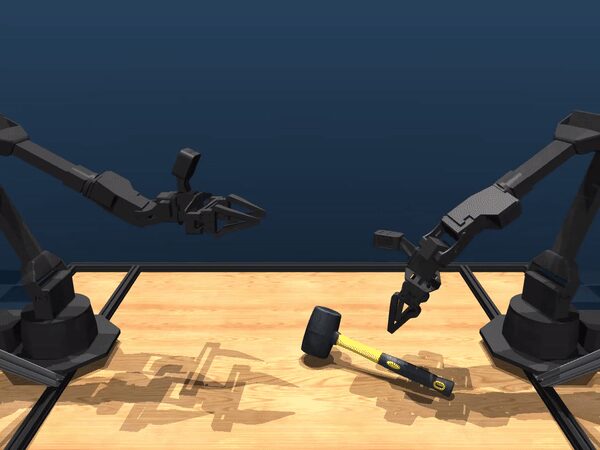
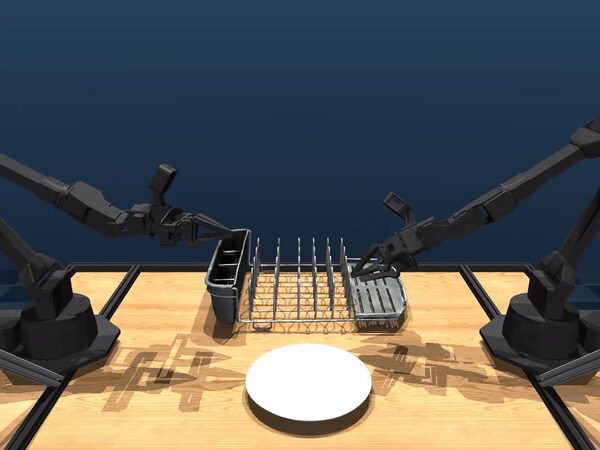
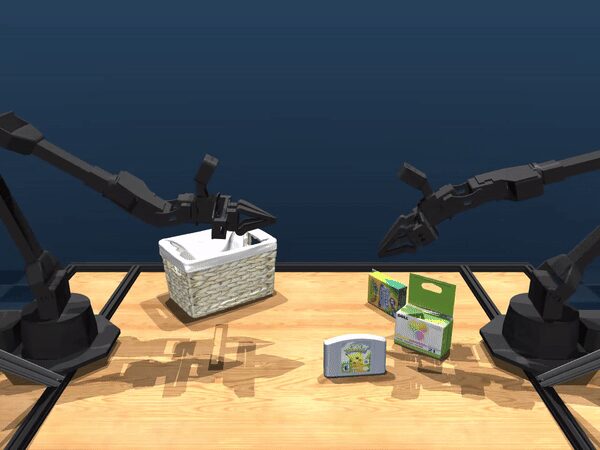
Example data-collection environments used in ALOHA 2 research.
ALOHA 2 performing real tasks
Documented demonstrations, each recorded with synchronized camera views, RViz visualization and real-world footage — the full camera / RViz / real-world comparison grids for every task are in the PDF manual.
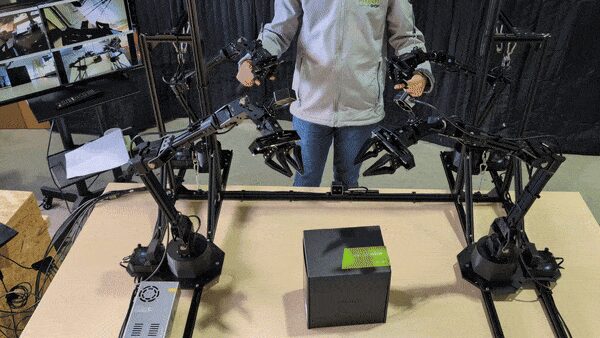
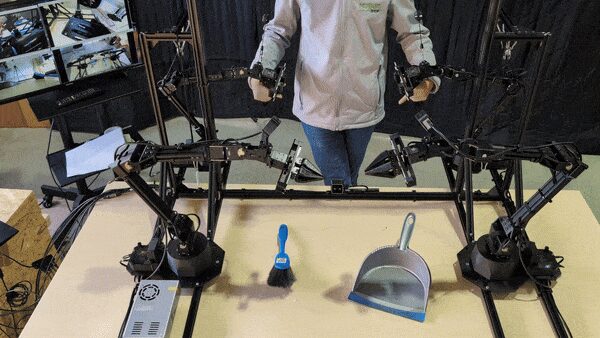
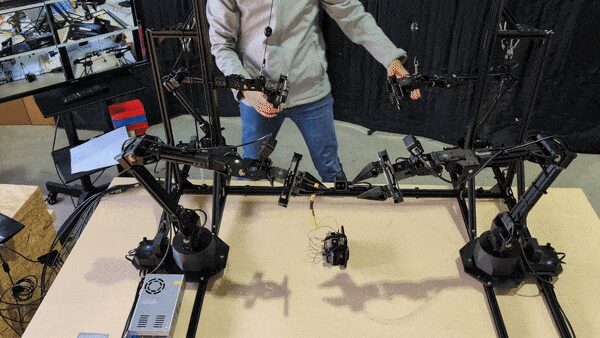
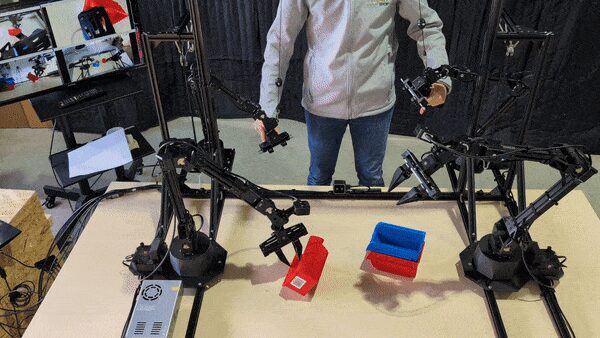
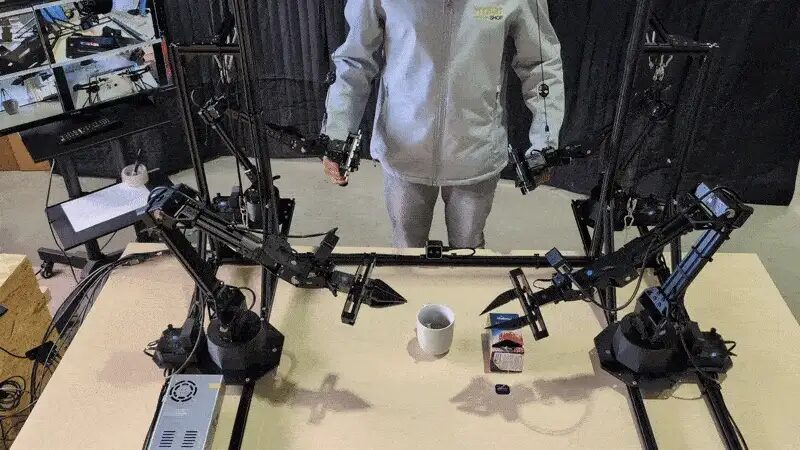
Special thanks to the MuJoCo ALOHA 2 project for resources and contributions referenced across these demonstrations.
Manuals, URDF & source
Everything published for ALOHA 2 so far — the official project site, the MYBOTSHOP manual, the browser-ready arm description, and the source repository.
Complete Source Repo
The complete ROS 2 source workspace for MBS Aloha — every ROS 2 package, launch file and driver node, built and maintained by MYBOTSHOP. Confidential — shared under NDA with named customers; sign in or request access below.
Official ALOHA 2 Project Website
The originating research project's own site — background on the redesign, the MuJoCo ALOHA 2 simulation model, and further publications not reproduced here.
Open site →MYBOTSHOP ALOHA 2 User Manual
A single self-contained manual: safety notes, ROS 1 setup & launch sequence, operating principles, key components, applications and every documented use-case demonstration.
Download PDFALOHA Arm Description (URDF)
The same leader (WX250s) and follower (VX300s) arm models rendered live in the playground above — xacro sources, expanded plain URDF, and STL meshes for both. Drop straight into a ROS workspace, RViz, or MoveIt.
Download ZIPIf something goes wrong
Two steps, in order — the forum first for fast community and staff triage, then a direct ticket if it needs to go further.
MYBOTSHOP Forum
Open a topic on the MYBOTSHOP Forum for community and staff triage — most software questions and known issues get resolved here first. For code-level bugs, GitHub Issues, StackOverflow and Answers-ROS are also in play.
Direct ticket & RMA
If it's unresolved, email support@mybotshop.de with the problem description and what's already been tried. For hardware issues we'll issue an RMA number and return instructions — returns without an RMA number are auto-rejected.
RMA returns ship to: MYBOTSHOP GmbH, Willy-Messerschmitt-Strasse 12, 50126 Bergheim, Germany.
We're here for the whole deployment
A new use case, a question about the ROS setup, or hardware not covered above — the MYBOTSHOP team can help.
support@mybotshop.de