An omnidirectional base with a real robot arm, fully documented.
A Clearpath Dingo‑O mecanum base carrying an AgileX Piper 6‑DOF arm — a compact mobile manipulation research platform running ROS 2 Jazzy with Nav2 and MoveIt2 out of the box.
From power-on to first command
Enough to get a supervised operator from a cold robot to driving it around and reaching the onboard webserver.
Power on
Confirm the emergency stop is released, then press the main power switch. Boot takes roughly 30–60 seconds — core ROS 2 drivers and services start automatically via systemd. Verify status via the webserver or SSH once it's up.
Connect
Plug a LAN cable into the robot's Ethernet port, or set a static IP on your computer (192.168.131.51 / mask 24) for first-time connection. Never set your own IP to a reserved address on the network table below.
Reach the webserver
Open http://192.168.131.1:9000 in a browser — username admin, password mybotshop. 3D robot visualization, joystick teleop, service start/stop, map view, battery monitoring and VNC remote desktop all live here.
Drive it
Highest priority: a Logitech controller (deadman switch required) plugged into the Dingo PC. Otherwise, the webserver's browser joystick, or teleop_twist_keyboard over SSH — whichever's closest at hand.
Emergency stop
Pressing the E-stop immediately cuts all motor power and parks the robot safely; services keep running but motion commands are ignored. To resume: clear the emergency condition, release the button, and restart platform services if needed.
Charging & shutdown
To charge: power off, connect the charger to the charging port, and watch the charger LED. To shut down: stop running applications, then press the main power switch.
| IP Address | Device | Username | Password |
|---|---|---|---|
| 192.168.131.1 | Dingo Computer (SSH) | robot | clearpath |
| 192.168.131.1:9000 | Webserver | admin | mybotshop |
| 192.168.131.2 | Dingo MCU | — | — |
| 192.168.131.20 | Hokuyo LiDAR | — | — |
SSH verification: ping 192.168.131.1 then ssh -X robot@192.168.131.1. Full network setup, static-IP walkthrough and both sets of credentials: MYBOTSHOP Dingo D100 User Manual (PDF).
ROS 2 Jazzy, Nav2 & the onboard webserver
The Dingo D100's onboard computer runs Ubuntu 24.04 LTS with ROS 2 Jazzy; core drivers and services start automatically on boot via systemd (dingo-platform, dingo-webserver).
Base Driver & Odometry
The Dingo base driver publishes joint state, IMU and odometry, and accepts cmd_vel — omnidirectional motion over 4 mecanum wheels, from a Logitech controller, browser joystick or teleop_twist_keyboard.
Onboard Webserver
A Flask-built control interface at 192.168.131.1:9000: live 3D visualization (GLTF), browser joystick, service start/stop, map view, battery monitoring, and VNC remote desktop — see the tour below.
SLAM & Map Navigation
Full Nav2 stack: SLAM mapping, odometry-only navigation with no pre-built map, and map-based autonomous navigation — goals settable from RViz2, the command line, or the webserver.
Teleoperation
Logitech controller (highest priority, needs its dongle on the Dingo PC and a deadman switch), the webserver's browser joystick, or teleop_twist_keyboard remapped onto the robot's namespaced cmd_vel.
Sensors
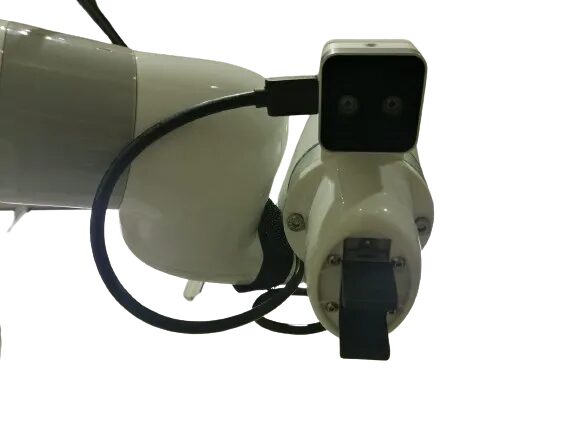
A front-mounted Hokuyo 2D LiDAR and a wrist-mounted Intel RealSense D405 depth camera on the Piper arm, plus wheel encoders and IMU built in. Expansion via USB, Ethernet and 24V power for custom sensors.
Simulation
Gazebo Harmonic simulation via ros-jazzy-ros-gz, bridging cmd_vel, odom, scan, tf and joint_states — custom worlds and scripted object spawning supported.
See it in the browser
A guided tour of the Dingo D100 onboard webserver, straight from its own documentation screenshots.
AgileX Piper arm & MoveIt2
The Piper is a 6-DOF arm with a parallel gripper, driven and planned entirely through ROS 2.
Arm Driver & Joint Control
Launch with ros2 launch dingo_manipulation piper.launch.py. Individual joints move via a standard JointTrajectory publish on /piper/joint_trajectory_controller/joint_trajectory, joints named joint1–joint6.
MoveIt2 Motion Planning
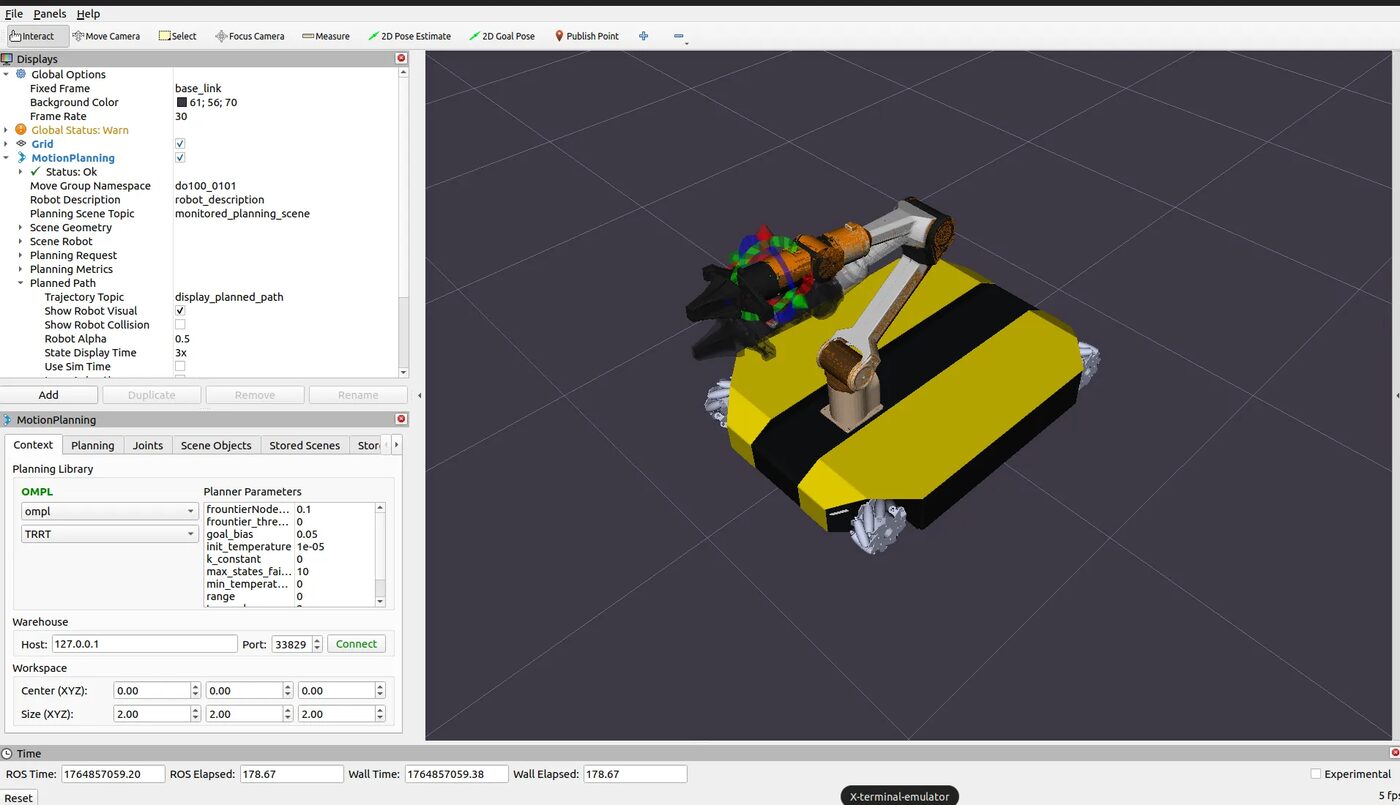
Launch with piper_moveit.launch.py for OMPL motion planning, collision detection, path visualization and scene management — the same setup shown in the RViz2 screenshot above.
Parallel Gripper
Open and close by publishing to /piper/gripper_cmd (std_msgs/Float64, 0.0 open – 1.0 closed) — also posable directly in the arm playground above.
Non-technical persons are not permitted to operate the Piper arm — the damage it can cause is severe. Always clear the workspace first, use slow speeds while testing, and keep the emergency stop within reach.
Manuals, ROS 2 docs & robot description
Everything needed to operate the Dingo D100, develop against its ROS 2 stack, or bring the arm model into your own tooling.
Complete Source Repo
The complete ROS 2 source workspace for MBS Dingo D100 — every ROS 2 package, launch file and driver node, built and maintained by MYBOTSHOP. Confidential — shared under NDA with named customers; sign in or request access below.
Clearpath Dingo & Nav2 Documentation
The Dingo-O base itself is a Clearpath Robotics platform — its own documentation is the authoritative source for base-specific hardware detail. Nav2's own docs cover planner/controller tuning in depth.
Clearpath docs → Nav2 docs →MYBOTSHOP Dingo D100 User Manual
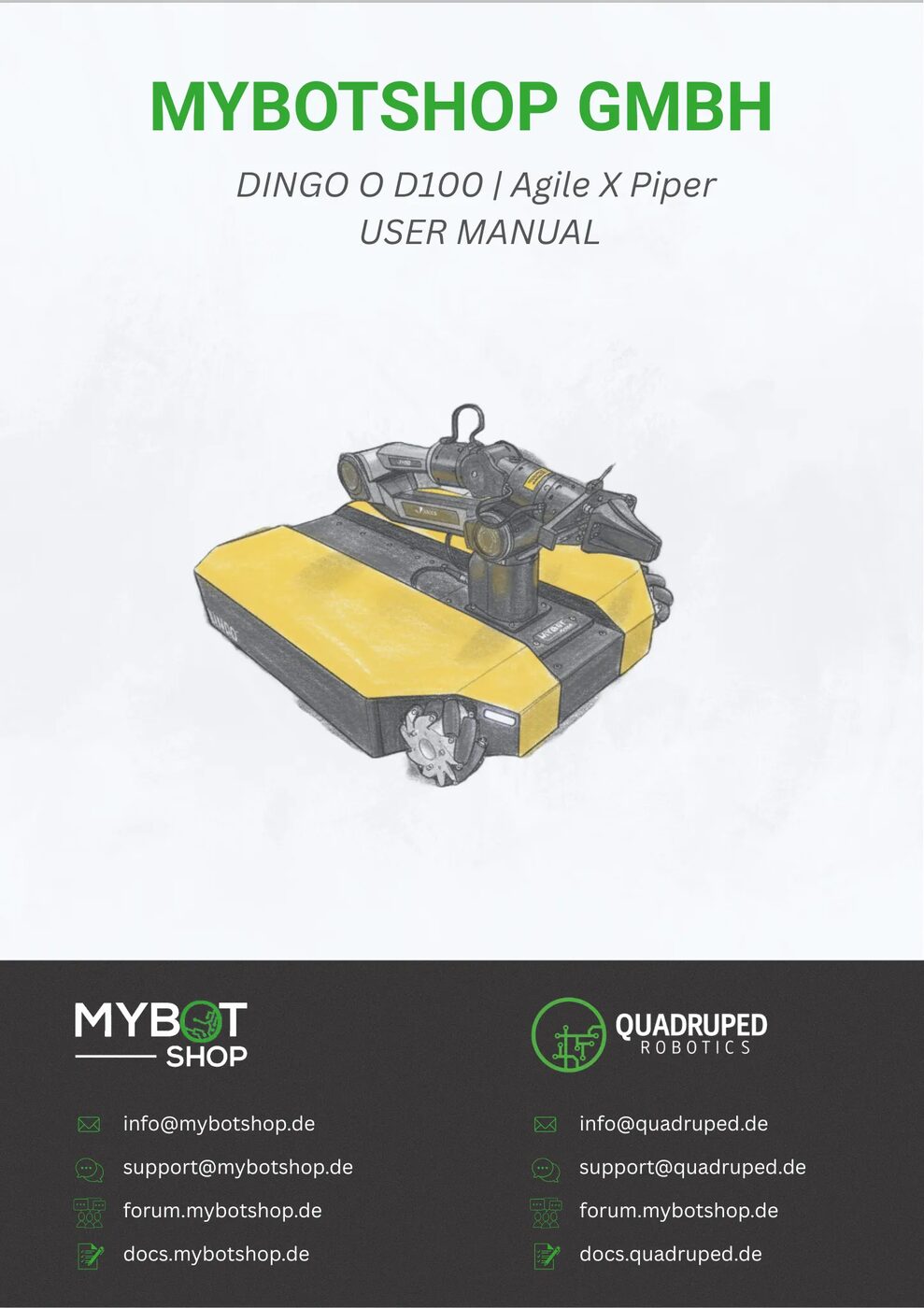
A single self-contained manual: network/SSH/webserver quick start, safety guidelines, full ROS 2 package reference (autostart, teleoperation, manipulation, navigation, sensors, simulation), hardware specification, and the related Dingo Lite variant.
Download PDFPiper Arm Description (URDF)
The piper_description package for the 6-DOF arm and parallel gripper — URDF, visual & collision meshes and package.xml — the same posable model rendered live in the playground above (the Dingo‑O base shown alongside it there is a static reference mesh, not part of this package). Arm only: the Dingo-O base geometry lives in Clearpath's own clearpath_platform_description package, an external dependency not redistributed here — combine the two yourself for a full base+arm model, or ask us for guidance.
The Dingo D100 (“Dingo Agile”) is one of two Dingo mobile-manipulator configurations — see the manual for the Dingo Lite variant (Dingo-D differential base + Ufactory Lite6 arm, ROS Noetic, no webserver), a different hardware and software stack entirely. Need the base description, hand-equipped variants, or the full ROS 2 driver source? Ask us directly.
If something goes wrong
Two steps, in order — the forum first for fast community and staff triage, then a direct ticket if it needs to go further.
MYBOTSHOP Forum
Open a topic on the MYBOTSHOP Forum for community and staff triage — most software questions and known issues get resolved here first. For code-level bugs, GitHub Issues, StackOverflow and Answers-ROS are also in play.
Direct ticket & RMA
If it's unresolved, email support@mybotshop.de with the problem description and what's already been tried. For hardware issues we'll issue an RMA number and return instructions — returns without an RMA number are auto-rejected.
RMA returns ship to: MYBOTSHOP GmbH, Willy-Messerschmitt-Strasse 12, 50126 Bergheim, Germany.
We're here for the whole deployment
Fleet rollout, a new use case, or a question about a specific ROS 2 package — the MYBOTSHOP team can help.
support@mybotshop.de