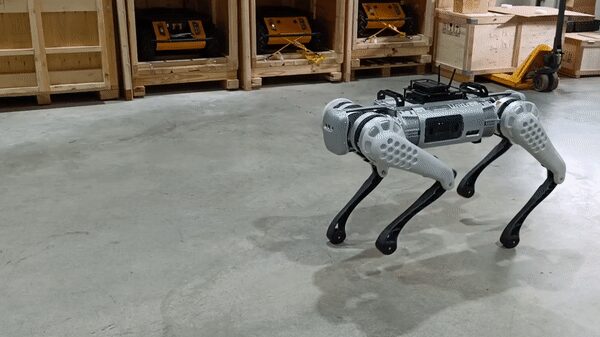
A ROS-driven four-legged robot, fully documented.
Twelve actuated leg joints under a ROS driver stack (QRE B1) — walking, teleop, Gazebo/Champ simulation, and optional Z1 arm or Ouster LiDAR field upgrades, layered on stock Unitree B1 hardware by MYBOTSHOP.
From a fresh workstation to driving the B1
The B1's ROS driver runs on a remote PC or on the robot's own onboard Raspberry Pi / Nvidia upgrade board — nothing needs installing on the robot's control board itself.
Install ROS & build the workspace
Install ROS Noetic (Ubuntu 20.04) or ROS Melodic (Ubuntu 18.04) on the remote PC or onboard computer, then create a catkin workspace and build against it. Full apt/catkin command sequences for both distributions are in the PDF manual.
Connect to the B1
Connect over the supplied Ethernet cable with a static IP, or join the robot's own hotspot — SSID pattern UnitreeRoboticsB1-###, default password 00000000. Once connected, the B1-MCU is reachable at 192.168.12.1 (password 123); the two onboard PCs are documented at 192.168.123.161 (main) and 192.168.123.12 (Nvidia), also password 123.
Launch the driver
High-level mode brings the robot to walking control: roslaunch b1_base base.launch opens the communication channel and publishes robot state on state, subscribing to cmd_vel for locomotion. Low-level mode is documented but still in active development.
Visualize & teleoperate
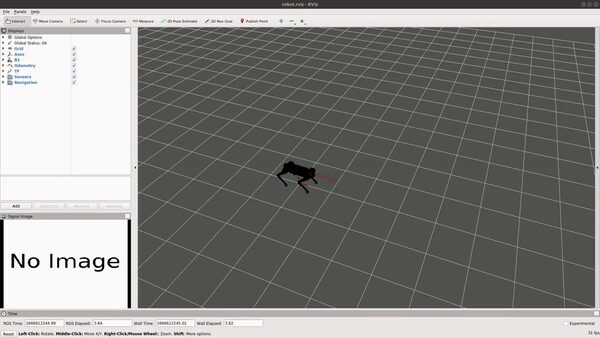
roslaunch b1_viz view_robot.launch shows the robot's current state; drive it with the standard ROS teleop_twist_keyboard node remapped onto the robot's namespaced cmd_vel topic — no extra hardware required.
Full pre-requisite install walkthrough, network reference and command sequences: MYBOTSHOP B1 User Manual (PDF) · Official Unitree B1 User Manual.
The QRE B1 ROS package set
A set of ROS packages layered on the B1 by MYBOTSHOP / QUADRUPED Robotics — base driving, description, simulation, visualization and teleop, built on top of Unitree's own SDK.
B1 Base
The core driver, in two modes that can't be switched at runtime: high-level mode for walking (holonomic cmd_vel control via Twist messages, robot state on state, pose via the set_body_pose service); low-level joint mode is documented but still in development.
B1 Description
The ROS package behind the model in the viewer above: the B1's 3D meshes stitched into a single URDF, including mount points for auxiliary components such as LiDAR. roslaunch b1_description check_joint.launch lets you adjust auxiliary component placement offline.
B1 Gazebo
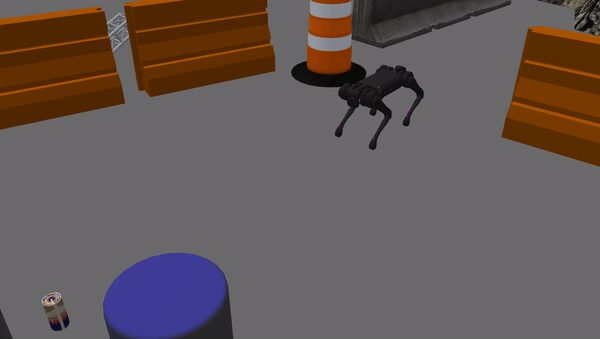
Simulation and control in Gazebo, built on the vendored Champ quadruped-control framework — teleoperate the simulated robot and use it as a base for SLAM and autonomous navigation work.
B1 Viz
Visualization of the robot's current state, in both simulation and on real hardware — roslaunch b1_viz view_robot.launch, automatically launched alongside the base driver to show the perceived leg position live.
B1 Control
Teleop support for a Logitech controller: roslaunch b1_control controller.launch. Localization files for full navigation are on the roadmap but not yet published.
B1 Camera
An onboard camera package is documented as a placeholder in the QRE B1 software set — no content published yet. Ask us directly for current status.
Ubuntu 18.04/ROS Melodic and Ubuntu 20.04/ROS Noetic are both documented build targets; an installer.bash script automates dependency installation once you have the B1 software package — email us for the latest driver.
Field upgrades: arm & LiDAR
The B1 can be extended with additional sensors and hardware — each requiring its own software modifications, documented in full in the PDF manual.
Z1 Robotic Arm
A 3-degree-of-freedom manipulator arm can be mounted to the B1's body via a rotating joint, adding manipulation capability on top of the quadruped's own locomotion. Contact us for integration details.
Ouster LiDAR
A full install walkthrough is documented: cloning ouster-ros into a third_party workspace folder, setting the sensor's static IP, and a sample ouster.launch configuring the sensor hostname and UDP destination. Verify with roslaunch ouster_ros ouster.launch viz:=true.
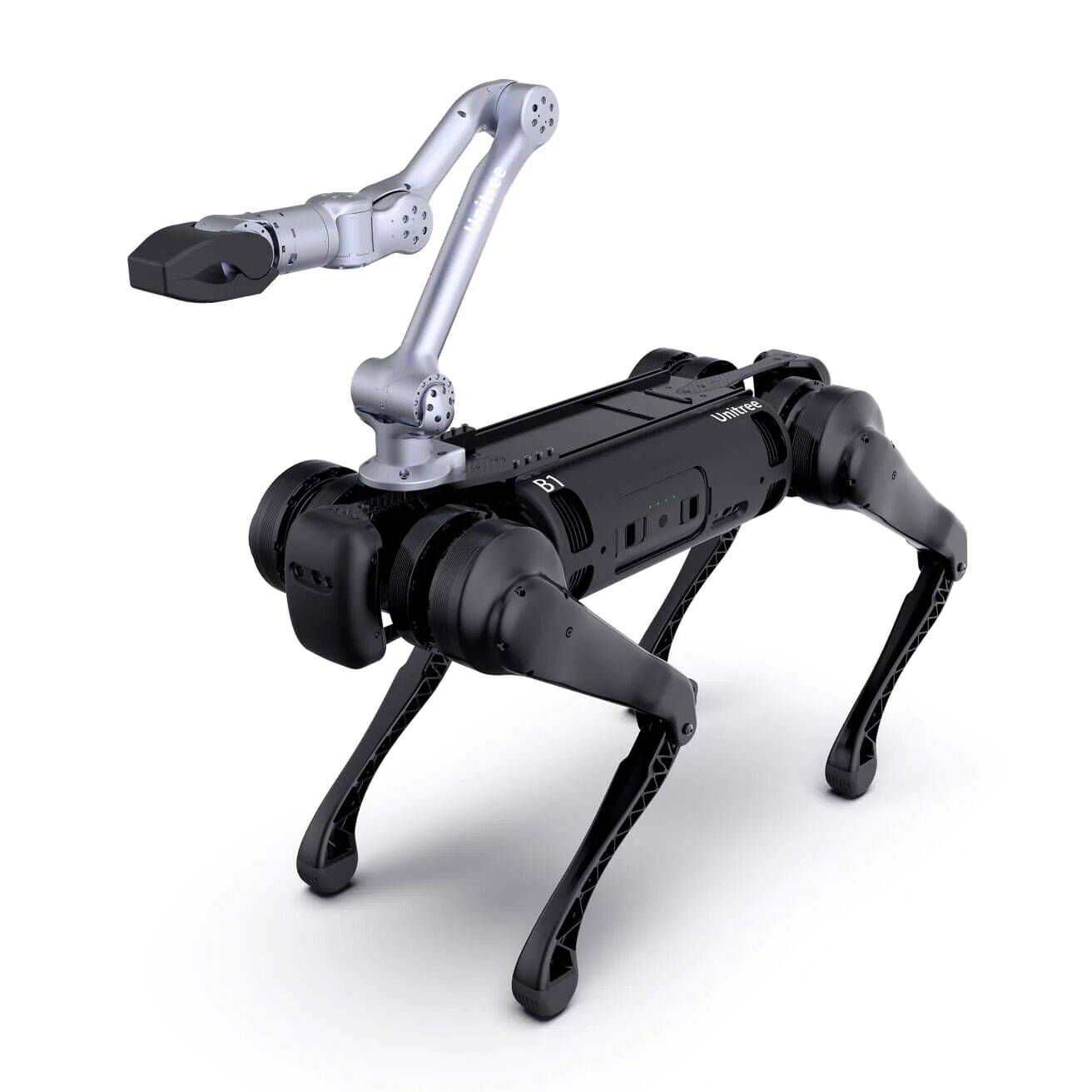
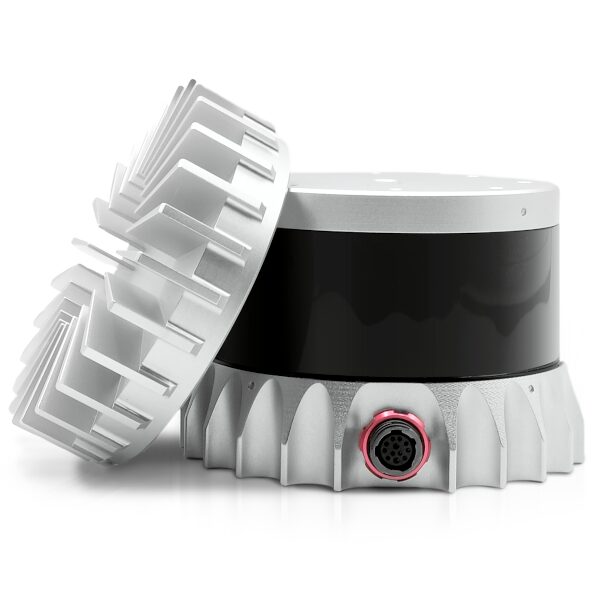
Both upgrades require workspace-level software changes beyond the base install — full command sequences and the sample ouster.launch XML are in the PDF manual.
Manuals, ROS docs & robot description
Everything published for the B1 so far — the manufacturer's own manuals, the MYBOTSHOP manual, the SDK repository, and the robot description package.
Complete Source Repo
The complete ROS 2 source workspace for QRE B1 — every ROS 2 package, launch file and driver node, built and maintained by MYBOTSHOP. Confidential — shared under NDA with named customers; sign in or request access below.
Official Unitree B1 User Manual
The manufacturer's own B1 user manual, plus the Unitree GitHub SDK repository and manufacturer's own (Chinese-language) documentation portal for deeper reference.
Open manual → unitree_ros on GitHub →MYBOTSHOP B1 User Manual
A single self-contained manual: ROS Melodic/Noetic install walkthrough, quick start, network & app setup, the full QRE B1 ROS package reference, and the Z1 arm / Ouster LiDAR field-upgrade procedures.
Download PDFB1 Robot Description (URDF)
The b1_description package — URDF, Collada visual meshes and package.xml — the same model rendered live in the viewer above. Drop it into a ROS workspace or RViz. Note: this package's package.xml declares a Proprietary license; check with support@quadruped.de before redistributing it further.
Looking for the low-level driver, the camera package, or navigation/localization files? None are published yet — ask us directly.
If something goes wrong
Two steps, in order — the forum first for fast community and staff triage, then a direct ticket if it needs to go further.
MYBOTSHOP Forum
Open a topic on the MYBOTSHOP Forum for community and staff triage — most software questions and known issues get resolved here first. For code-level bugs, GitHub Issues, StackOverflow and Answers-ROS are also in play.
Direct ticket & RMA
If it's unresolved, email support@quadruped.de with the problem description and what's already been tried. For hardware issues we'll issue an RMA number and return instructions — returns without an RMA number are auto-rejected.
RMA returns ship to: QUADRUPED Robotics GmbH c/o MYBOTSHOP GmbH, Willy-Messerschmitt-Strasse 12, 50126 Bergheim, Germany.
We're here for the whole deployment
Fleet rollout, a field upgrade, or a question about a specific ROS package — the MYBOTSHOP team can help.
support@quadruped.de